Smart TV App Development: Roku, Fire TV and tvOS Compared


Create engaging, high-performance mobile applications tailored to your business needs. We craft future-ready apps that offer smooth user experiences on all devices.
Build robust and scalable websites and CMS platforms that help you manage content effortlessly. Our development ensures a seamless digital presence.
Launch secure, feature-rich online stores with intuitive shopping experiences. We build tailored eCommerce platforms designed for growth.
Design captivating games with immersive gameplay and stunning graphics. From concept to launch, we build engaging experiences that players love.
Enhance your customer relationships with customized Salesforce implementations. Drive growth and efficiency with smarter CRM solutions.
Harness artificial intelligence and machine learning to automate workflows and gain actionable insights. Our AI transforms data into smart decisions.
Accelerate your software delivery lifecycle with continuous integration, delivery, and infrastructure automation to boost efficiency.

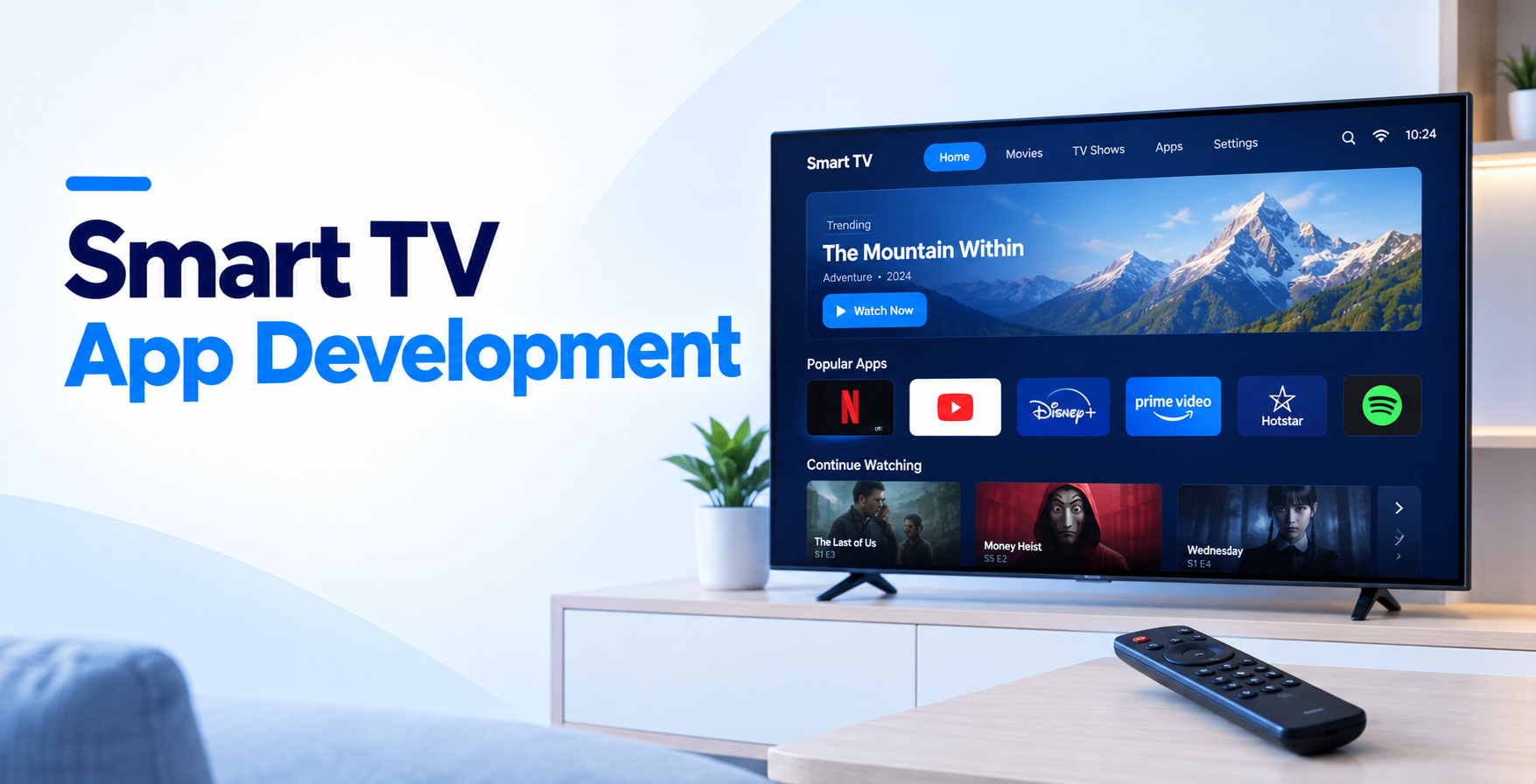
Your app looks great on a phone. Then someone opens it on a 65-inch screen, ten feet away, holding a plastic remote with five buttons. Suddenly the hamburger menu is unreachable, the body text is illegible, and nobody can find the search bar.
That gap is the whole story of smart TV app development. The code is the easy part. Designing for a device where the only input is up, down, left, right and OK is what separates apps people keep from apps people uninstall after one night.
This guide breaks down what each platform demands, what the build actually costs, and where teams lose months.
TL;DR
Smart TV app development means building a native application for a television operating system, distributed through that platform’s own store. Roku, Amazon Fire TV and Apple tvOS each run different runtimes, so one codebase rarely covers all three.
It matters because the living room is now the default screen. Parks Associates found that 61% of U.S. internet households use a smart TV as their primary streaming device, ahead of streaming sticks and consoles.
Three constraints shape every project. Input is a remote, not a finger. Hardware is far weaker than a mid-range phone. And every update ships through a certification review you do not control.
| Platform | Language / stack | Store review | Best for |
| Roku | BrightScript + SceneGraph | Moderate, feed apps are fast | Ad-supported video, broad US reach |
| Fire TV | Android SDK (Kotlin/Java), React Native on Vega | Moderate | Android teams, Prime-adjacent audiences |
| tvOS | Swift + SwiftUI / UIKit | Strictest | Subscription apps, premium audiences |
Roku apps are written in BrightScript, paired with SceneGraph for the interface. Neither skill transfers from your mobile team, so plan to hire or train for it.
The real constraint is memory. Roku ships players at very low price points, and older devices still in homes have tight RAM ceilings. Load too many high-resolution images and the app simply closes.
If your product is a straightforward video catalog, Direct Publisher lets you launch from a feed with no custom code. Ad-supported channels must also use the Roku Advertising Framework, which is non-negotiable during certification.
Fire OS is Android, so your existing Android skills mostly carry over. You build with the Android SDK, swap touch patterns for leanback navigation, and submit through the Amazon Appstore. Teams that have shipped Android TV app development projects will recognize most of the work immediately.
The complication is Vega. Amazon’s newer Linux-based TV OS uses a different runtime, where apps are built in React Native rather than Android Java. Teams already invested in React Native development services find that transition manageable, but it is a second build, not a recompile.
Apple’s platform uses Swift with SwiftUI or UIKit, and the focus engine handles remote navigation for you. That engine is genuinely good, which is why tvOS apps often feel the smoothest of the three.
Teams with existing Swift app development services experience move fastest here, since the tooling matches iPhone work closely. Expect the toughest App Store review, especially around subscription flows and sign-in. Build the Top Shelf extension properly, because it is prime real estate on the home screen.
Start with one. Ad-supported video and mass US reach point to Roku. An existing Android codebase and Amazon audience point to Fire TV. Paid subscriptions and premium positioning point to tvOS.
Shipping all three at once triples QA, triples certification risk, and delays learning by months. Launch one, watch real retention data, then expand. The decision follows the same logic as any native vs cross-platform development call, except the TV version has no true cross-platform shortcut worth trusting.
Sketch the remote journey before anyone writes code. Every screen needs an obvious focus state, a predictable D-pad path, and no dead ends that strand the user.
Minimum body text sits around 24px equivalent. Keep interactive elements inside the safe area so older TVs do not clip them. Limit the home screen to a few horizontal rails, because deep vertical scrolling feels punishing with a remote.
Good UI/UX design on TV means fewer choices per screen, not more. Test every layout on an actual television, never on a laptop simulator alone.
TV apps are thin clients. Your catalog, metadata, recommendations and entitlement checks all live server side, which makes API development the real engineering effort behind the scenes.
Sign-in deserves special attention. Nobody types a password with a D-pad. Use second-screen activation, where the TV shows a short code and the user confirms on their phone.
Plan DRM early too. Widevine covers Roku and Fire TV, FairPlay covers Apple, and retrofitting either one late is expensive.
Each store takes its own cut and enforces its own purchase rails. Roku Pay, Amazon In-App Purchasing and Apple StoreKit all handle subscriptions differently, with different renewal webhooks and refund behavior.
Your backend needs one entitlement service that normalizes all three, so a user who subscribed on Roku can sign in on Fire TV without paying twice.
The architecture mirrors what any SaaS subscription management platform needs: a single source of truth for who owns what, fed by multiple payment sources.
Buy the cheap devices, not the flagships. A Roku Express and an entry-level Fire TV Stick will expose memory leaks and playback stutter that premium hardware hides completely.
Run through startup time, channel switching, resume-from-background, and network drops during playback. Serious application testing on TV means hours of continuous streaming, not five-minute smoke tests.
Then budget calendar time for certification. Rejections over trick-play behavior, ad policy or sign-in flow are common, and each round costs days.
A single-platform video app with a clean catalog, search and authentication typically lands between $30,000 and $70,000. Add live channels, personalization or multi-tier subscriptions and that climbs fast.
Covering all three platforms usually runs $90,000 to $180,000, because you are funding three separate front ends against one shared backend. Most of the backend cost is spent once, which is why platform two is cheaper than platform one.
Ongoing costs surprise people. Platform OS updates, new device certifications and codec changes mean mobile app maintenance and support is a recurring line item, not a closing task. Budget 15 to 20% of build cost annually.
For a staged approach, an MVP development path on one platform gets you real viewing data before the full three-platform commitment.
Smart TV app development works best when the app, the backend and the billing layer are designed together rather than stitched later.
EngineerBabu builds connected TV products end to end, covering platform front ends, streaming backends, DRM, entitlement services and post-launch support.
If you want a realistic scope and sequence for your catalog, start with a timeline to build a mobile app, then talk to the team about your TV roadmap.
Smart TV app development rewards teams that respect the constraints instead of fighting them. Weak hardware, a five-button remote, and a certification gatekeeper are not obstacles to engineer around. They are the brief.
Pick one platform, design for the couch, build the backend once, and expand when the retention numbers earn it.
No, not reliably. Roku requires BrightScript, tvOS requires Swift, and Fire TV uses Android or React Native. Shared business logic lives in your backend, not the client.
A single-platform app with video playback, search and sign-in typically takes 10 to 16 weeks, plus one to three weeks for store certification and any rejection rounds.
Roku for US reach and ad-supported models. Fire TV if you already have Android engineers. tvOS if your revenue comes from premium subscriptions.
Yes. TV clients are deliberately lightweight, so catalog data, recommendations, entitlements and analytics all run server side through APIs shared across platforms.
Generally yes, particularly on subscription disclosure, sign-in flows and content rights. Prepare documentation before submitting rather than responding to rejections afterward.