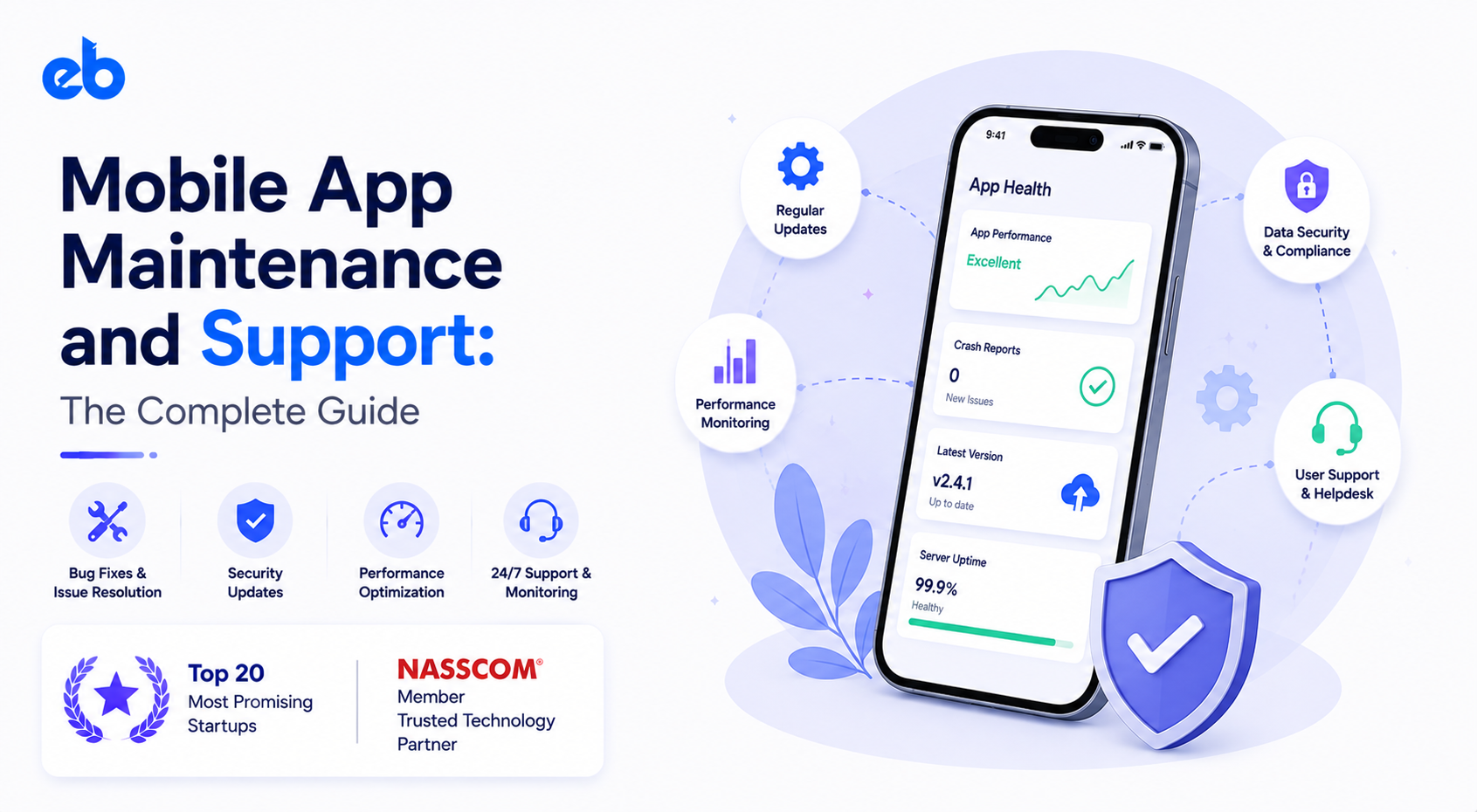
Mobile App Maintenance and Support: The Complete Guide



Create engaging, high-performance mobile applications tailored to your business needs. We craft future-ready apps that offer smooth user experiences on all devices.
Build robust and scalable websites and CMS platforms that help you manage content effortlessly. Our development ensures a seamless digital presence.
Launch secure, feature-rich online stores with intuitive shopping experiences. We build tailored eCommerce platforms designed for growth.
Design captivating games with immersive gameplay and stunning graphics. From concept to launch, we build engaging experiences that players love.
Enhance your customer relationships with customized Salesforce implementations. Drive growth and efficiency with smarter CRM solutions.
Harness artificial intelligence and machine learning to automate workflows and gain actionable insights. Our AI transforms data into smart decisions.
Accelerate your software delivery lifecycle with continuous integration, delivery, and infrastructure automation to boost efficiency.
Hire app developers ready to turn your ideas into sleek, high-performing mobile apps for any platform.
Bring in frontend pros who craft smooth, beautiful, and user-friendly interfaces that your visitors will love.
Get backend developers who build fast, secure, and reliable systems to keep everything running behind the scenes.
Hire eCommerce developers who build secure, scalable online stores designed to offer seamless shopping and grow your sales.
Get dedicated developers committed to your projects, delivering consistent quality and speed as an extension of your team.
Nobody schedules the day an app starts dying. It happens quietly, in the gap between the last release and the next platform update.
Here is how quiet it gets. From August 31, 2026, every new Android submission on Google Play has to target Android 16.
Apps that have not shipped an update in two years already stop appearing for new users on newer devices. No crash report. No angry email. Just installs that slowly stop arriving.
Mobile App Maintenance and Support is the work that keeps that silence from turning into churn. It is also the line item most founders cut first, usually right after they celebrate launch.
The numbers back that up. Pixalate’s Q2 2024 report found Google removed roughly 1.1 million apps from the Play Store in a single quarter. Of those, 74% were abandoned, meaning nobody had updated them in over two years.
This guide covers what Mobile App Maintenance and Support actually includes, what it costs, and how to run it without swallowing your product roadmap.
Most teams treat mobile app development as a project with a finish line, then discover maintenance is four separate jobs wearing one label.
Fixing what broke. Crashes on specific device and OS combinations, payment failures, sync bugs, and the edge cases QA never reproduced. This is reactive by nature and needs a clear intake path.
Keeping the app legal and installable. OS releases, store policy changes, deprecated SDKs, new screen sizes, and privacy manifest requirements all force code changes even when your features stay identical.
Improving what already works. Cutting cold start time, reducing screen load, tightening onboarding, and shipping small changes that analytics say will move retention.
Reducing future cost. Dependency upgrades, refactoring the worst files, raising test coverage, and deleting dead code before it becomes a blocker.
Teams that buy only the first bucket are buying support. Genuine Mobile App Maintenance and Support covers all four, in a fixed rhythm.
Your code is stable. Everything around it is not. That is the part Mobile App Maintenance and Support budgets miss.
Apple and Google both run annual cycles. New OS versions change permissions, background execution, and notification behavior. Store requirements shift with them, so a frozen codebase becomes non-compliant on a schedule you do not control.
A payment gateway deprecates v1 of an endpoint. An analytics SDK drops support for your minimum OS. A maps provider changes pricing tiers. Teams that treat API Development as a one-time integration end up patching under deadline pressure.
Certificates expire, provisioning profiles lapse, and database versions reach end of life. None of these show up in a feature backlog. All of them take an app offline.
The widely used industry benchmark puts annual maintenance at 15% to 20% of the original mobile app development cost. Year one usually runs higher, closer to 30% to 50%. You are still stabilizing the codebase and reacting to real users instead of test accounts.
That percentage moves with complexity, not with screen count.
| App type | Typical annual maintenance | Main cost driver |
| Simple utility or content app | 10% to 15% of build cost | OS updates and store compliance |
| Mid-complexity app with backend | 15% to 20% | API changes, hosting, bug fixes |
| Marketplace or on-demand app | 20% to 25% | Scaling, real-time features, integrations |
| Fintech, healthcare, or AI-heavy app | 25% to 35% | Audits, compliance, model retraining |
Two Mobile App Maintenance and Support costs get forgotten almost every time. The first is monthly infrastructure, which grows with users rather than with releases.
The second is engineering availability, since paying for a fast response is different from paying for hours worked.
A retainer without structure turns into a queue nobody answers. These four steps give Mobile App Maintenance and Support a shape you can hold a vendor to.
Before signing anything, list your repositories, store accounts, API keys, certificates, cloud accounts, and every third-party service with a billing relationship. Note which dependencies are already out of support. Confirm you hold admin access to all of it, not your previous agency.
Apps that came out of MVP Development usually carry deliberate shortcuts, so expect a heavier first year. This audit becomes your baseline. Without it, every future estimate is a guess, and your first invoice includes discovery you already paid for once.
Split issues into three tiers and attach a promise to each. P1 covers anything blocking payments, logins, or core flows, with a response inside two hours and a fix path the same day. P2 covers broken features with a workaround, handled within the current sprint. P3 covers cosmetic and minor issues, batched into the next release.
Write these into the Mobile App Maintenance and Support contract with hours, not adjectives. Ambiguity is where maintenance relationships quietly fail.
You cannot maintain what you cannot see. Add crash reporting, performance monitoring, API error tracking, and alerting on the flows that generate revenue. Set thresholds so a rising failure rate pages someone before reviews do.
Track crash-free session rate, cold start time, API latency, and failed transaction rate weekly. These four numbers tell you whether the app is healthy far earlier than store ratings will. They also give your maintenance partner something objective to be measured against.
Pick a rhythm and defend it. Monthly releases work for most products, with hotfixes allowed outside the cycle for P1 issues only. Batch small fixes rather than shipping constantly, because every submission carries review risk.
Then mark the platform dates. Apple and Google announce beta seasons months ahead, so schedule compatibility testing before the public release, not after. This single habit removes most emergency work from your Mobile App Maintenance and Support year.
AI features do not sit still after launch, which makes them the fastest growing part of most maintenance budgets.
Model quality drifts as user behavior and data change. A recommendation engine tuned on last quarter’s catalog starts returning weaker results without a single line of code changing. Provider costs and rate limits shift too, and vendors deprecate model versions with short notice.
Anything built through AI Development needs an evaluation set, a monitoring dashboard, and a retraining trigger defined before launch. Custom scoring or prediction work delivered through ML Development also needs someone watching input data quality, since silent pipeline failures look exactly like normal output.
Budget for AI upkeep separately. Folding it into a general support retainer usually means it never happens.
Regulation and user expectation change what Mobile App Maintenance and Support means in practice. Three examples show the spread clearly.
Compliance reviews, penetration tests, and bank API updates run on external calendars. Working with a fintech app development company that already handles audit cycles saves you from scrambling when a partner bank changes its authentication flow mid quarter.
HIPAA obligations continue for the life of the app. Access logs, encryption standards, and business associate agreements need periodic review, and every third-party tool touching patient data has to stay in scope.
Traffic is seasonal and brutal. Semester starts create load spikes that expose weak caching and database limits. That is why EdTech app development companies plan capacity testing around the academic calendar, not the release calendar.
All three work. They fail in different ways.
An in-house engineer gives you the fastest context and the highest fixed cost. This makes sense once the app is core to revenue and the backlog is genuinely full every month.
A freelancer is cheapest and riskiest. One person cannot cover iOS, Android, backend, and DevOps, and vacation becomes an outage. Use freelancers for small, well-scoped apps only.
A retained Mobile App Maintenance and Support partner spreads specialists across your app. Many mobile app development companies now sell maintenance as a monthly agreement with defined response times. Ask who is actually assigned, what happens during holidays, and whether unused hours roll over.
Watch for these before the store ratings tell you:
Two or more of these together usually means the app is being watched reactively, not maintained.
Maintenance is not the tax you pay for launching. It is the reason an app is still installable, compliant, and worth opening two years later.
Treat Mobile App Maintenance and Support as a product function with owners, metrics, and a calendar. The cost is predictable when it is planned and expensive every time it is not.
Want a maintenance plan built around your actual stack and compliance needs? Talk to the team at EngineerBabu about ongoing Mobile App Maintenance and Support.
It covers bug fixes, OS and store compliance updates, security patches, dependency upgrades, performance tuning, infrastructure management, monitoring, and small feature improvements. Good agreements also define response times by issue severity rather than only listing hours.
Plan for 15% to 20% of your original build cost each year, and more in year one. Complex fintech, healthcare, and AI products often reach 25% to 35% because of audits, compliance work, and model retraining.
A monthly release cadence suits most products, with hotfixes reserved for critical issues. At minimum, ship compatibility updates around each major iOS and Android release to stay available in both stores.
It slowly becomes non-compliant with store target API requirements and loses visibility for new users on newer devices. Crashes pile up on unsupported OS versions, and removal becomes a real risk. Pixalate’s data shows abandonment is the most common trait among delisted apps.
Usually yes, and they carry the most context. Confirm they offer a maintenance agreement with defined severity tiers and response times. Also make sure you hold admin access to all repositories, store accounts, and cloud services.