How to Build an App Like ClassDojo (USA)



Create engaging, high-performance mobile applications tailored to your business needs. We craft future-ready apps that offer smooth user experiences on all devices.
Build robust and scalable websites and CMS platforms that help you manage content effortlessly. Our development ensures a seamless digital presence.
Launch secure, feature-rich online stores with intuitive shopping experiences. We build tailored eCommerce platforms designed for growth.
Design captivating games with immersive gameplay and stunning graphics. From concept to launch, we build engaging experiences that players love.
Enhance your customer relationships with customized Salesforce implementations. Drive growth and efficiency with smarter CRM solutions.
Harness artificial intelligence and machine learning to automate workflows and gain actionable insights. Our AI transforms data into smart decisions.
Accelerate your software delivery lifecycle with continuous integration, delivery, and infrastructure automation to boost efficiency.
Hire app developers ready to turn your ideas into sleek, high-performing mobile apps for any platform.
Bring in frontend pros who craft smooth, beautiful, and user-friendly interfaces that your visitors will love.
Get backend developers who build fast, secure, and reliable systems to keep everything running behind the scenes.
Hire eCommerce developers who build secure, scalable online stores designed to offer seamless shopping and grow your sales.
Get dedicated developers committed to your projects, delivering consistent quality and speed as an extension of your team.
TL;DR
A third-grade teacher in Columbus has 24 students, 38 caregiver phone numbers, and about four free minutes between dismissal and a staff meeting. She is not going to log into a web portal. She will, however, snap a photo of a science project and hit send.
That four-minute window is the entire business case behind ClassDojo, and it explains the number that founders keep quoting back to us: ClassDojo is used by 95% of pre-K–8 schools in the US and serves over 51 million students across 180 clountries (PR Newswire).
So here is the short answer for anyone trying to build an app like ClassDojo in the United States.
You need five things working together: role-based accounts for teachers, parents, students and admins, real-time messaging with automatic translation; a media-first class feed; a behavior or skills engine; and a compliance layer built for COPPA and FERPA from day one.
Everything else is a later chapter.
This guide walks through each of those, plus the timeline, stack, and cost you should actually plan around.
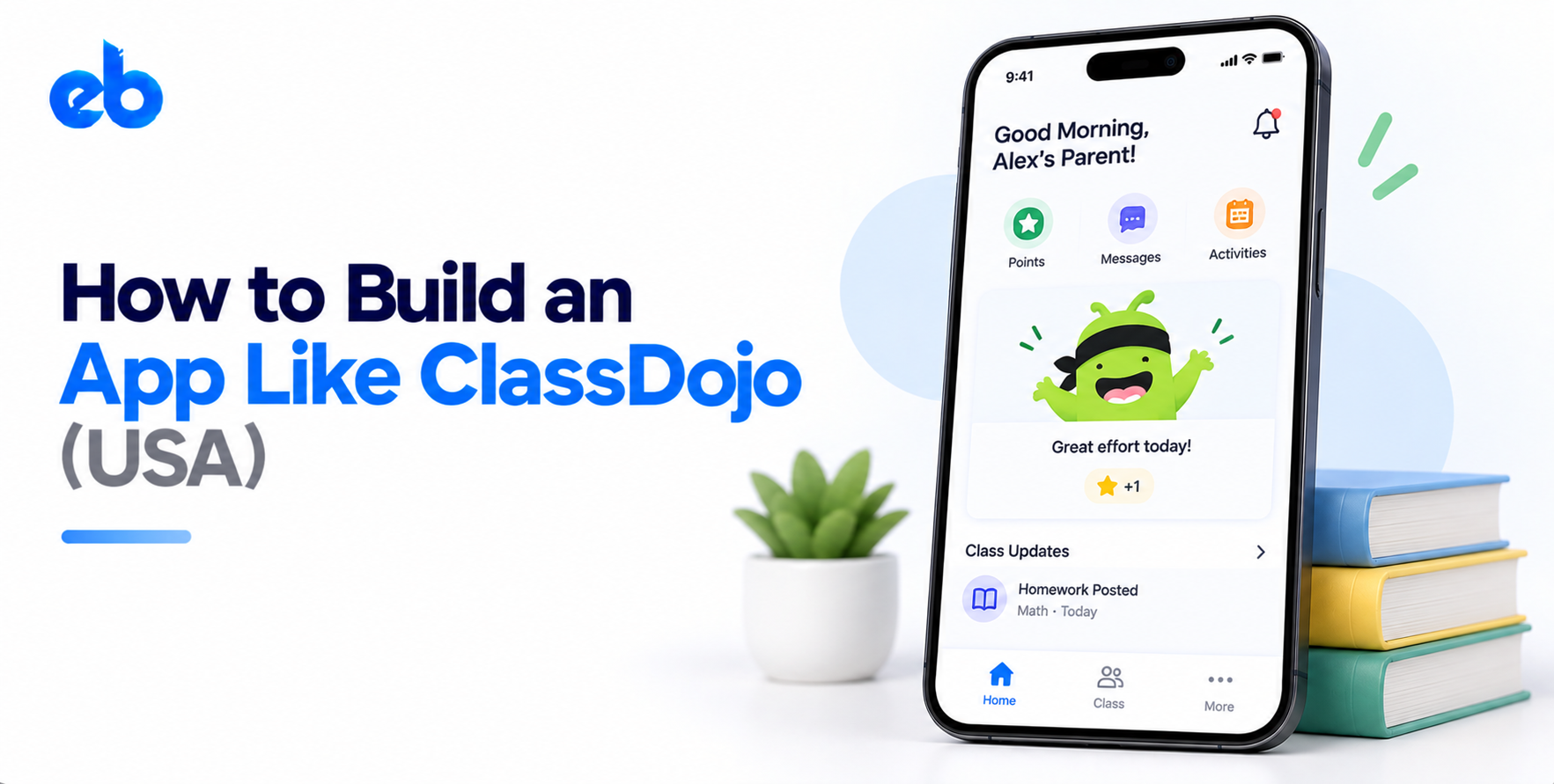
ClassDojo is a communication app wearing a classroom-management costume. Teachers use it to share photos, videos, and quick messages. Parents use it to feel included without emailing the front office.
It is not a gradebook. It is not a student information system. And it is deliberately not a learning management system, which is a completely different build with courses, assessments and enrollment logic – worth reading if you are weighing how to build an LMS instead.
That restraint is the product strategy. Teachers adopted it because it did one job faster than a group text. If you want to build an app like ClassDojo, resist the urge to launch with a gradebook attached.
Messaging is the spine of the product. It needs read receipts, quiet hours so teachers are not on call at 11 PM, and per-class broadcast alongside one-to-one threads.
Translation is not optional in US districts. ClassDojo auto-translates into 35-plus languages, and in bilingual school communities that single feature drives adoption more than anything visual.
Photos and short videos carry the emotional weight here. A parent who sees their kid’s volcano project opens the app tomorrow too.
The engineering looks a lot like feed-based apps such as Instagram: chronological or ranked feeds, aggressive image compression, CDN delivery, and a moderation path for anything posted to a class group.
Dojo points are simple on the surface and fiddly underneath. Teachers define custom skills, award or deduct points in a tap, and reset cycles weekly or by term.
Build it as a configurable rubric with an event log, not hardcoded values. Schools will want their own language – “respectful,” “on task,” “PBIS Tier 1” – and reporting that rolls up by student, class and week.
Parents are a different user with different needs. One login, several children, possibly across two schools, each with its own teachers and feeds.
Get the account-linking flow right: invite codes, QR join, and a recovery path for the parent who changed phones. This is where most classroom apps leak users.
Principals want participation data, message oversight, and the ability to broadcast to every family at once. For districts already running a student information system, an integration path with school ERP software turns a teacher tool into a procurement-ready platform.
This is the section founders skim and then pay for later.
Practical consequences for your build: separate student PII into its own encrypted store, keep an auditable consent record per child, support hard deletion on request, and never route student media through third-party analytics. Pair that with a proper web application security checklist before you go anywhere near a pilot school.
Start with classroom teachers, because they are the ones who adopt. Sit with 20 of them across grade levels and watch how they currently talk to parents. Count the workarounds: group texts, paper folders, Remind, printed newsletters.
You are looking for the one moment that feels worst. For ClassDojo it was sharing a positive moment fast enough that it still mattered. Write that moment down as a single sentence. If your team cannot agree on it, you are not ready to build an app like ClassDojo yet.
Before any screens, define entities: school, class, teacher, student, guardian, post, message, point event. Then define who can see what, in writing.
A student is a minor with restricted visibility. A guardian sees only their own child. A co-teacher sees the class but maybe not private parent threads. An admin sees participation metrics but not message content, unless policy says otherwise.
Getting permissions wrong here means rewriting your API layer in month five. Model consent and deletion as first-class fields, not afterthoughts bolted on before launch.
Teachers use these apps standing up, mid-hallway, phone in one hand. That constraint should drive every screen.
Award a point in one tap from the class roster. Post a photo in three taps including the caption. Reply to a parent without hunting through nested menus. Strong UI/UX design here is not decoration, it is the retention strategy.
Test your prototype by timing real teachers. If a core action takes longer than half a minute, cut steps until it does not.
Your first release should do two things well: message parents and share class moments. Points can ship in version 1.1.
Scope it at roughly 12 to 16 weeks with a small senior team. Native or cross-platform apps, a REST or GraphQL backend, push notifications, media pipeline, and a lightweight web view for teachers on Chromebooks.
Treating this as focused MVP development keeps you honest. Every extra module added now delays the only thing that matters, which is real classroom usage data.
Classroom apps live or die on delivery. A message that arrives 20 minutes late is a support ticket and a lost parent.
Use WebSockets or a managed real-time service for in-app threads, and FCM plus APNs for push. Build a notification preference system early: quiet hours, per-class muting, digest versus instant.
Solid API development matters here because translation, media processing and messaging all need to work as one flow. Queue heavy jobs so a teacher posting 15 photos never blocks anyone else’s feed.
Recruit five schools across different demographics, ideally including one with a large non-English-speaking parent base. Run a full grading period, not two weeks.
Track three numbers: weekly active teachers, parent activation rate per class, and messages per teacher per week. Parent activation below 60% means your invite flow is broken, not your product.
Fix onboarding friction first, then performance, then features. Districts ask for pilot references, so treat these five schools as your future sales case study.
Most teams building this go cross-platform. Flutter or React Native gets iOS and Android from one codebase, which matters when your users are split across cheap Androids and school-issued iPads. The tradeoff is worth understanding before you commit, and native vs cross-platform development comes down to how heavy your media and camera work will be.
On the backend, Node.js or Django with PostgreSQL handles relational school data cleanly. Add Redis for presence and unread counts, S3 plus CloudFront for media, and a managed translation API.
Plan for spiky traffic. Every school in a time zone hits dismissal within the same hour, which is why cloud architecture built for scalability is a launch requirement rather than a growth-stage cleanup.
Numbers below reflect US-facing products built by an experienced offshore or hybrid team.
| Scope | What’s included | Typical cost |
| MVP | Messaging, class feed, parent app, basic admin | $55,000 – $90,000 |
| Growth build | Points engine, translation, school dashboard, SIS integration | $110,000 – $180,000 |
| Full platform | Multi-district, analytics, payments, AI features | $200,000 – $350,000+ |
| Annual upkeep | Hosting, compliance reviews, OS updates | 18 – 22% of build cost |
Compliance work adds real hours, usually 8 to 12% of the project, because privacy agreements and security reviews are per-district.
If you want a wider benchmark, our breakdown of edtech platform development cost covers adjacent models, while mobile app development cost in the USA explains why onshore quotes run two to three times higher.
ClassDojo kept the teacher product free forever and monetized elsewhere. That order matters.
Do not gate messaging. The moment teachers hit a paywall on the core loop, adoption stops and your funnel dies with it.
Building for administrators first. Admins sign checks, but teachers create usage, and without usage there is nothing to sell.
Ignoring the parent onboarding flow. If a caregiver needs three attempts to join a class, half of them never will.
Shipping a feature list instead of a habit. Our roundup of common mobile app development mistakes covers this pattern across categories, and edtech is among the worst offenders.
Treating privacy as legal paperwork. In US K-8, one data incident ends district relationships permanently.
If you want to build an app like ClassDojo, the hard part is not the messaging infrastructure. It is the discipline to ship one habit-forming loop and refuse everything else until teachers depend on it.
Get the 30-second interaction right, build consent into the schema, pilot properly, and monetize the adults rather than the classroom.
Planning a launch in the US market? Talk to EngineerBabu, an education app development company that builds compliant, scalable products for K-12 and beyond.
For a wider vendor view first, see our guide to edtech app development companies in the USA.
A focused MVP with messaging, a class feed and a parent app takes 12 to 16 weeks. A full platform with a points engine, translation, admin dashboards and SIS integration usually runs 6 to 9 months, depending on how many district integrations you commit to upfront.
Yes, if students under 13 are involved. Consent records, encrypted PII storage and deletion workflows all sit in your database design. Adding them after launch means migrating live student data, which is slower and riskier than building them correctly the first time.
Cross-platform, in most cases. Flutter or React Native covers both app stores from one codebase, and classroom features rarely need deep native APIs. Go native only if heavy video capture, offline sync or advanced camera work is central to your product.
Yes, by narrowing. ClassDojo owns general pre-K-8 communication. Defensible wedges include high schools, special education, athletics programs, and districts with specific state compliance requirements that a general-purpose app handles poorly.
Start with individual teachers rather than procurement. Publish a plain-language privacy policy, sign the Student Privacy Pledge, complete a third-party security assessment, and document a five-school pilot with participation data you can show a district.