How to Build an AI Customer Service Agent Platform - LLM Resolution, Escalation Logic, Omnichannel 2026


Create engaging, high-performance mobile applications tailored to your business needs. We craft future-ready apps that offer smooth user experiences on all devices.
Build robust and scalable websites and CMS platforms that help you manage content effortlessly. Our development ensures a seamless digital presence.
Launch secure, feature-rich online stores with intuitive shopping experiences. We build tailored eCommerce platforms designed for growth.
Design captivating games with immersive gameplay and stunning graphics. From concept to launch, we build engaging experiences that players love.
Enhance your customer relationships with customized Salesforce implementations. Drive growth and efficiency with smarter CRM solutions.
Harness artificial intelligence and machine learning to automate workflows and gain actionable insights. Our AI transforms data into smart decisions.
Accelerate your software delivery lifecycle with continuous integration, delivery, and infrastructure automation to boost efficiency.
Hire app developers ready to turn your ideas into sleek, high-performing mobile apps for any platform.
Bring in frontend pros who craft smooth, beautiful, and user-friendly interfaces that your visitors will love.
Get backend developers who build fast, secure, and reliable systems to keep everything running behind the scenes.
Hire eCommerce developers who build secure, scalable online stores designed to offer seamless shopping and grow your sales.
Get dedicated developers committed to your projects, delivering consistent quality and speed as an extension of your team.
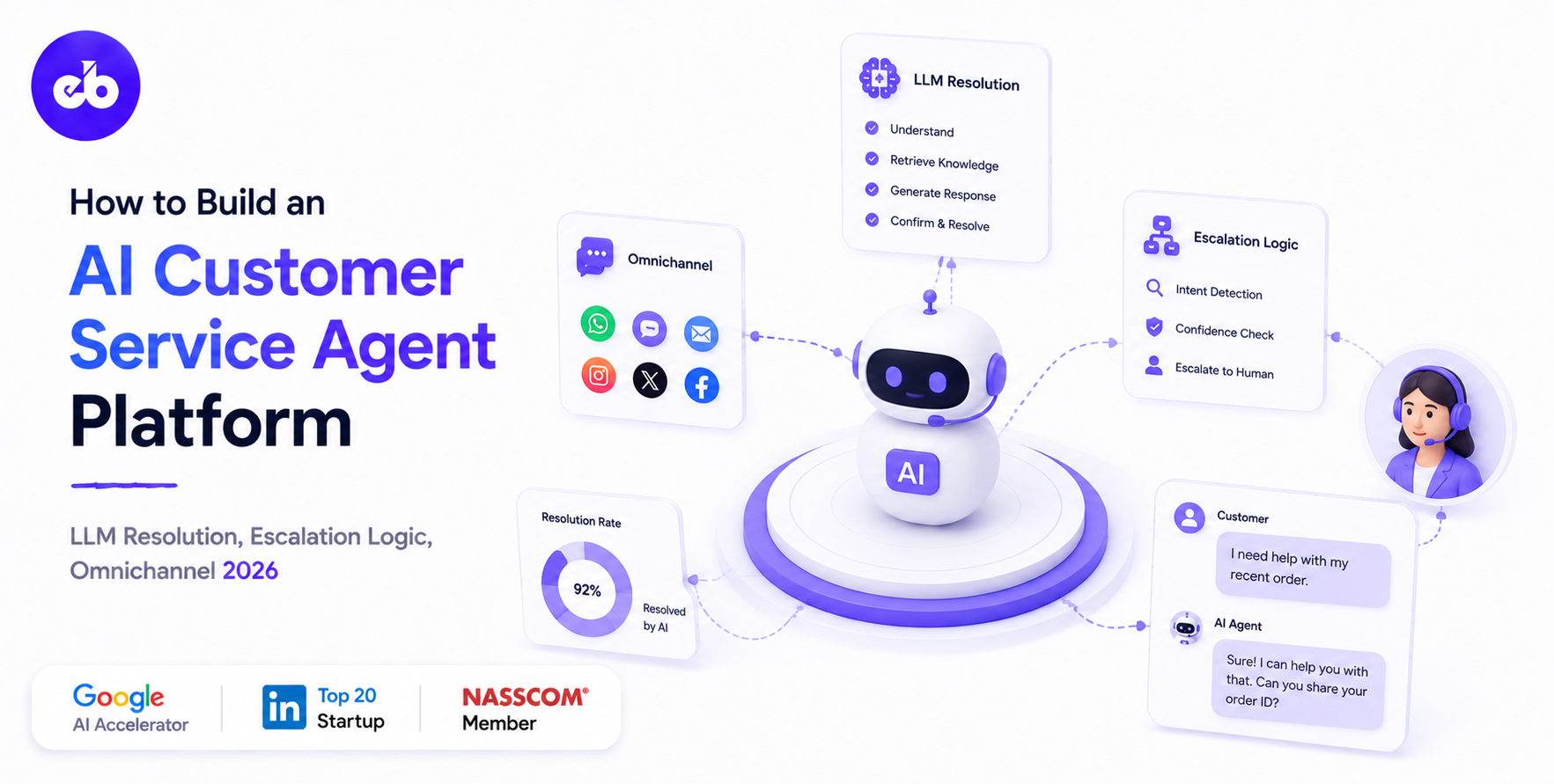
Most support tickets are variations of 50 to 100 recurring question types that a well-trained AI can resolve without human involvement. The gap between a functional AI customer service agent and one that actually improves satisfaction is not the LLM, it is the architecture: how the agent accesses accurate product knowledge, integrates with CRM for account-specific answers, detects when a conversation is going wrong, and hands off to a human seamlessly.
An enterprise-ready AI support solution requires much more than a chatbot. It combines intelligent retrieval, business system integrations, workflow automation, and human collaboration to provide dependable customer service.
A complete platform typically includes:
Together, these capabilities enable businesses to automate repetitive requests while ensuring complex issues receive the right level of human attention.
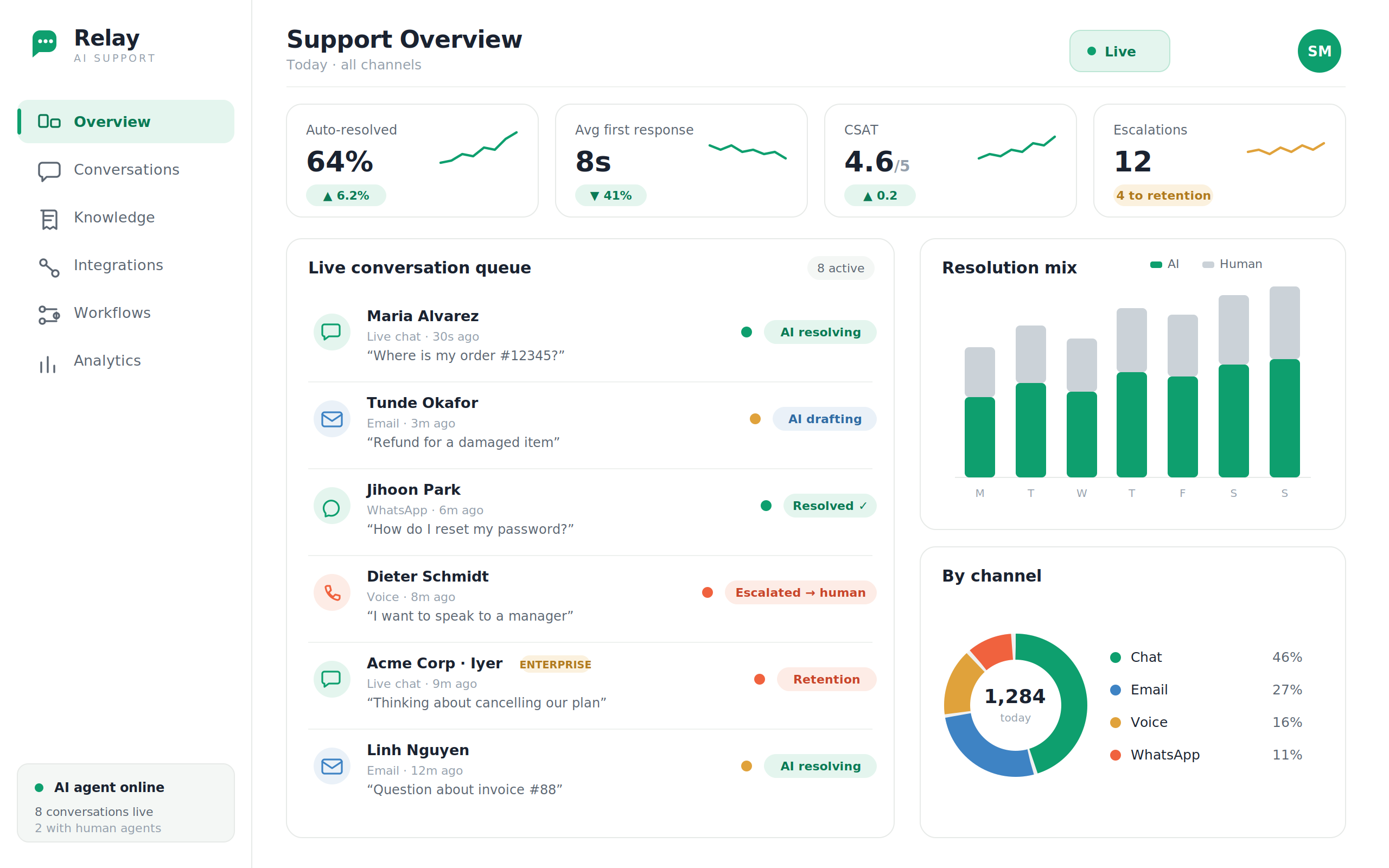
AI-powered customer service improves both operational efficiency and customer satisfaction by reducing response times and allowing support teams to focus on high-value conversations.
Key business outcomes include:
When implemented correctly, AI becomes an extension of the customer support team rather than a replacement for human expertise.
The hallucination problem:
A pure LLM answers from training knowledge. When a customer asks “What is your current refund policy?” the LLM answers from training data, which may be outdated or fabricated. RAG solves this by grounding every response in the company’s actual documentation.
RAG pipeline:
Knowledge base ingestion sources:
| Source | Content | Update Trigger |
| Help centre (Zendesk/Intercom) | FAQ articles, guides | Nightly + on article update |
| Internal policies | Refund policy, shipping terms, SLAs | Manual upload + nightly |
| Product documentation | Feature guides, release notes | On product update |
| Historical resolved tickets | Patterns from past resolutions | Weekly batch |
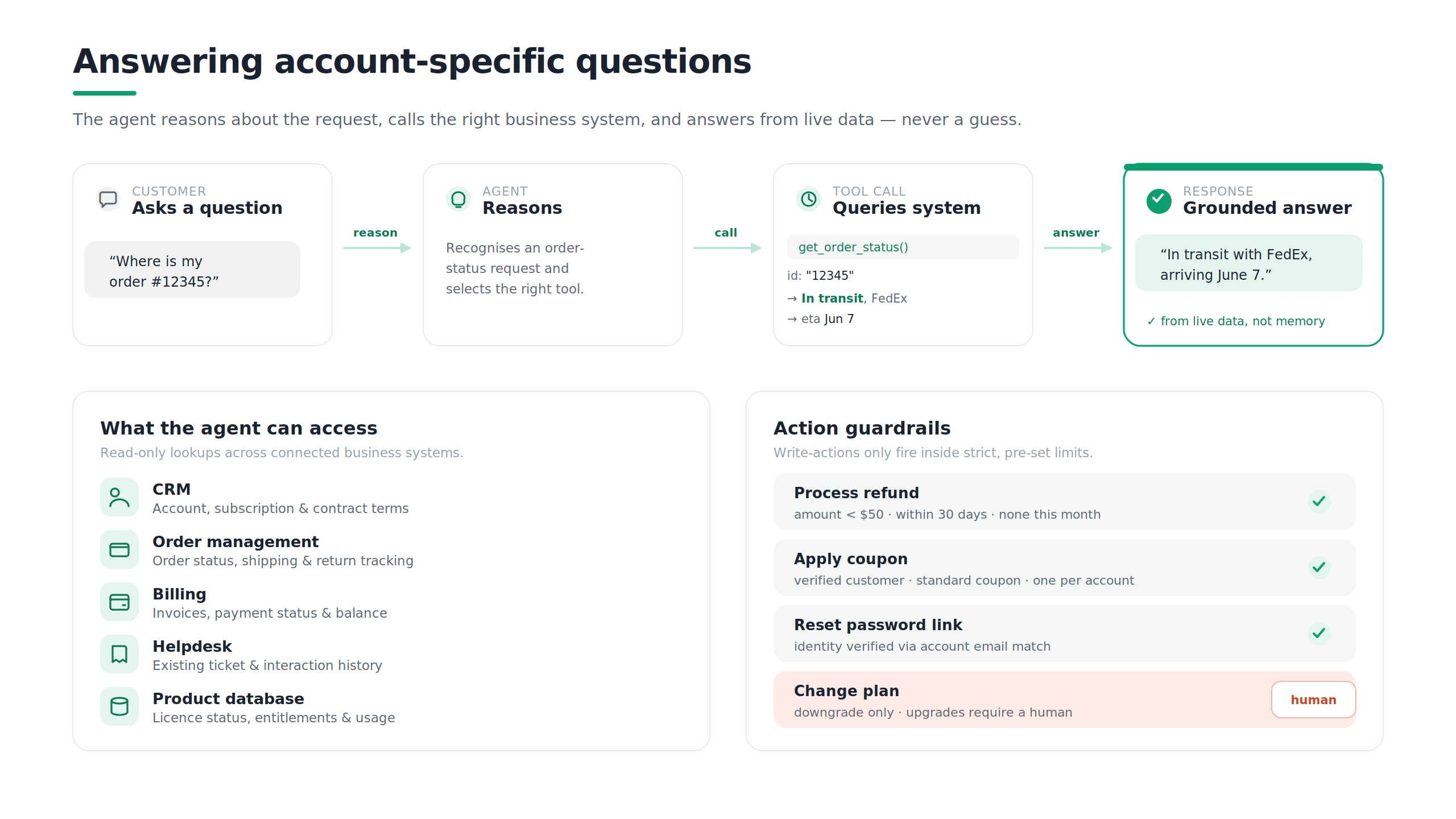
What the AI can access and do:
| Integration | Access/Action |
| CRM (Salesforce/HubSpot) | Account details, subscription status, contract terms |
| Order management | Order status, shipping tracking, return status |
| Billing system | Invoice history, payment status, outstanding balance |
| Helpdesk (Zendesk) | Existing ticket history, previous interactions |
| Product database | Licence status, feature entitlements, usage data |
Tool calling example:
Customer: “Where is my order #12345?”
Agent reasoning:
→ This requires an order lookup
→ Call: get_order_status(order_id=”12345″)
→ Tool returns: {status: “In transit”,
carrier: “FedEx”,
tracking: “1Z…”,
eta: “June 7”}
→ Respond with specific, accurate information
Action guardrails:
| Action | Guardrail |
| Process refund | Amount < $50, within 30-day policy, no prior refund this month |
| Apply coupon | Verified customer, standard coupon, one per account |
| Reset password link | Identity verified via account email match |
| Change plan | Downgrade only, upgrades require human |
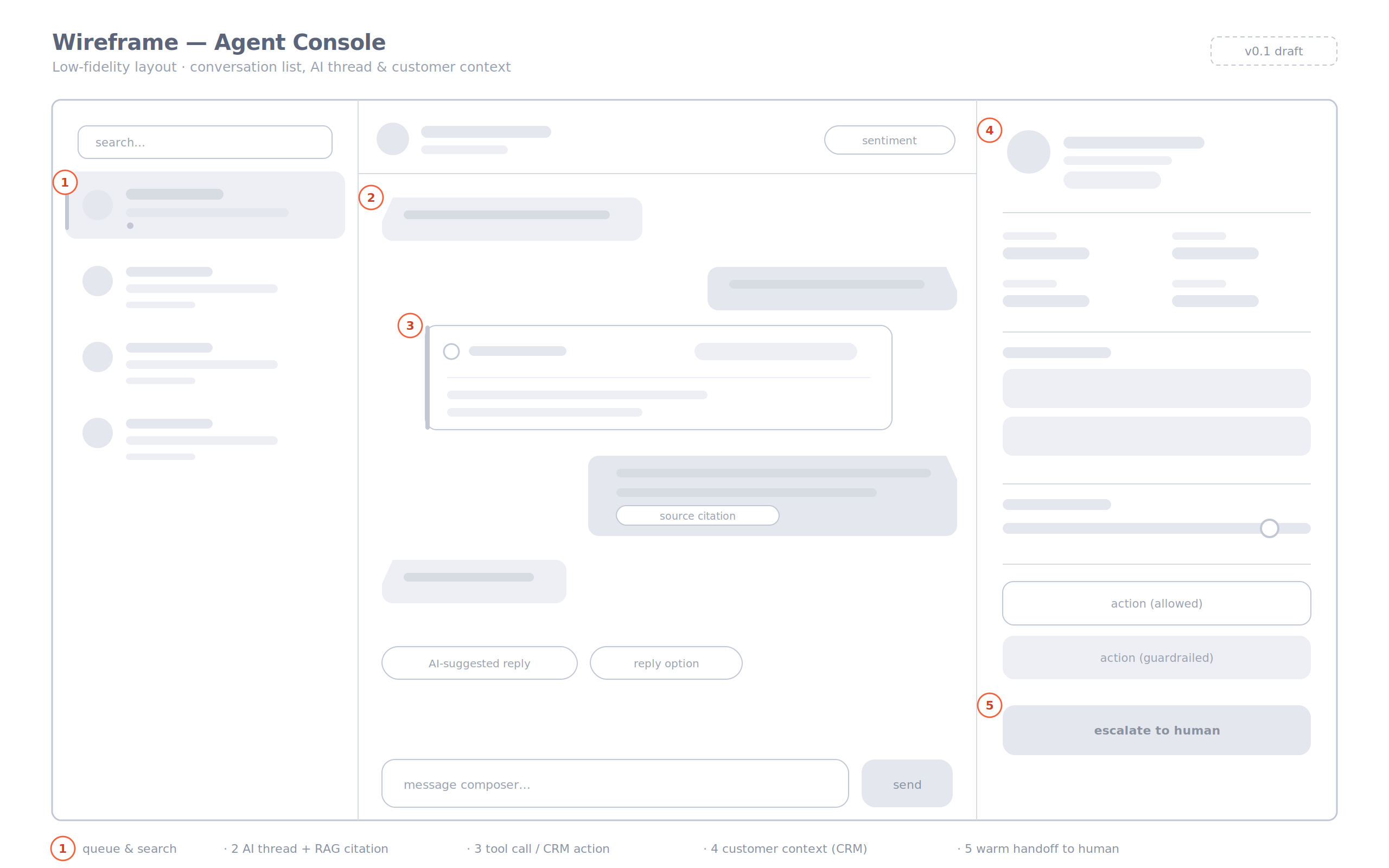
 Module 3 – Escalation Logic
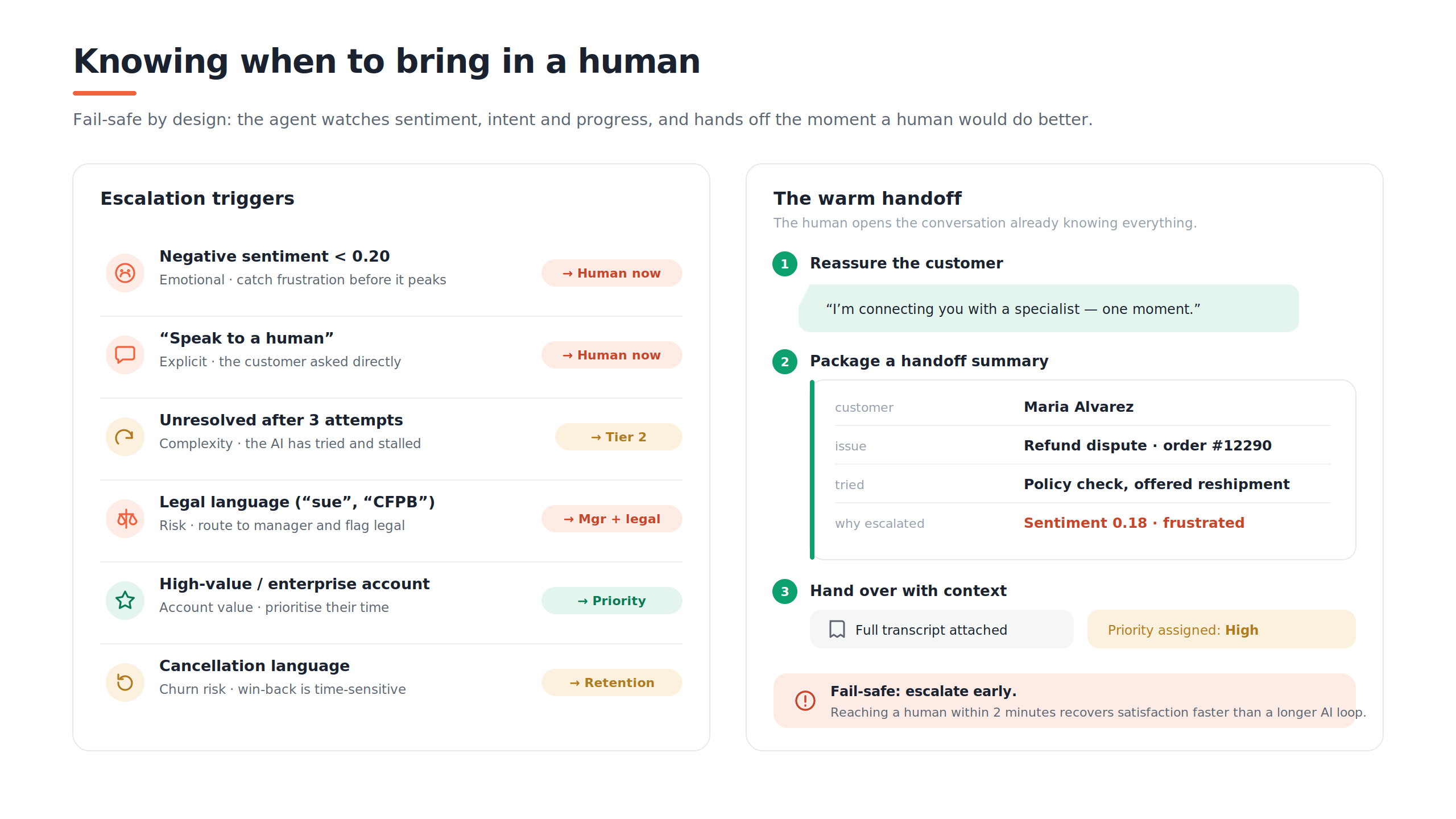
Escalation triggers:
| Trigger | Type | Action |
| Negative sentiment < 0.2 | Emotional | Immediate human transfer |
| “Speak to a human” | Explicit | Immediate human transfer |
| Unresolved after 3 AI attempts | Complexity | Escalate to Tier 2 |
| Legal language (“sue”, “CFPB”) | Risk | Route to manager + legal flag |
| High-value customer (enterprise) | Account value | Immediate priority queue |
| Cancellation language | Churn risk | Route to retention specialist |
The warm handoff:
When escalating, the AI:
The human agent opens the conversation knowing everything, no customer repeats themselves.
| Channel | Integration | AI Capability |
| Live chat (web/app) | JavaScript widget | Full AI resolution + escalation |
| IMAP integration | Triage, classify, draft resolution | |
| WhatsApp Business API | Full AI for simple queries | |
| Voice | Twilio + LLM | Speech-to-text → LLM → text-to-speech |
| Slack (B2B) | Slack API | Support channel AI bot |
Unified conversation record:
Customer who starts on chat, follows up via email, then calls, all three interactions linked in a single conversation record. Human agent taking the call sees all prior context.
| Module | Cost Range (USD) | Notes |
| Knowledge base RAG pipeline | $8K – $15K | Semantic search |
| CRM/order/billing integration (tool calling) | $8K – $15K | Per integration $2K–$3K |
| LLM conversation orchestration | $8K – $15K | Multi-turn context |
| Sentiment detection + escalation logic | $6K – $12K | |
| Warm handoff to human agent | $5K – $10K | |
| Email channel integration | $5K – $10K | |
| Live chat widget | $5K – $10K | |
| Voice channel (Twilio + LLM) | $8K – $15K | STT + TTS |
| WhatsApp Business integration | $4K – $8K | |
| Analytics (resolution rate, CSAT) | $5K – $10K | |
| AWS + SOC 2 + VAPT | $5K – $10K | |
| Total | $67K – $130K | Full AI CS platform |
Contact: mayank@engineerbabu.com
AI customer service platforms are transforming how businesses deliver support by combining trusted knowledge retrieval, intelligent automation, and human collaboration.
From answering routine questions to accessing customer-specific information and escalating sensitive cases, modern AI agents help organizations provide faster, more consistent support while reducing operational overhead.
If you’re planning to build an enterprise AI customer support solution, EngineerBabu can design and develop a scalable platform tailored to your workflows and business goals. Reach out to mayank@engineerbabu.com to discuss your project.
A well-implemented AI agent with RAG knowledge base and CRM integration typically resolves 60 to 70% of tickets without human involvement, for companies whose volume is dominated by policy questions, order status queries, account management actions, and troubleshooting guides. The remaining 30 to 40% involve complex technical issues, emotionally escalated customers, edge cases outside policy, or high-value account situations that benefit from human judgment.
The escalation engine monitors three signals simultaneously: sentiment score (escalating frustration triggers escalation before it peaks), explicit requests (“I want to speak to a manager”), and resolution failure (if the AI has attempted three different approaches without resolution). The principle is fail-safe escalation, it is always better to escalate unnecessarily than to have an AI continue trying when a customer is clearly frustrated. Churn studies show a frustrated customer who reaches a competent human within 2 minutes recovers their satisfaction faster than one who continues in an AI loop for 5 more minutes.