A/B Testing in Mobile Apps: Tools, Process and Pitfalls



Create engaging, high-performance mobile applications tailored to your business needs. We craft future-ready apps that offer smooth user experiences on all devices.
Build robust and scalable websites and CMS platforms that help you manage content effortlessly. Our development ensures a seamless digital presence.
Launch secure, feature-rich online stores with intuitive shopping experiences. We build tailored eCommerce platforms designed for growth.
Design captivating games with immersive gameplay and stunning graphics. From concept to launch, we build engaging experiences that players love.
Enhance your customer relationships with customized Salesforce implementations. Drive growth and efficiency with smarter CRM solutions.
Harness artificial intelligence and machine learning to automate workflows and gain actionable insights. Our AI transforms data into smart decisions.
Accelerate your software delivery lifecycle with continuous integration, delivery, and infrastructure automation to boost efficiency.
Hire app developers ready to turn your ideas into sleek, high-performing mobile apps for any platform.
Bring in frontend pros who craft smooth, beautiful, and user-friendly interfaces that your visitors will love.
Get backend developers who build fast, secure, and reliable systems to keep everything running behind the scenes.
Hire eCommerce developers who build secure, scalable online stores designed to offer seamless shopping and grow your sales.
Get dedicated developers committed to your projects, delivering consistent quality and speed as an extension of your team.
Your last release shipped a redesigned paywall. Revenue moved 4% that week. Was it the paywall, a seasonal dip, or the iOS update that landed the same morning?
Without a control group, nobody in that meeting can answer honestly. They can only argue confidently.
That gap between a confident answer and a correct one is the entire reason A/B testing in mobile apps exists.
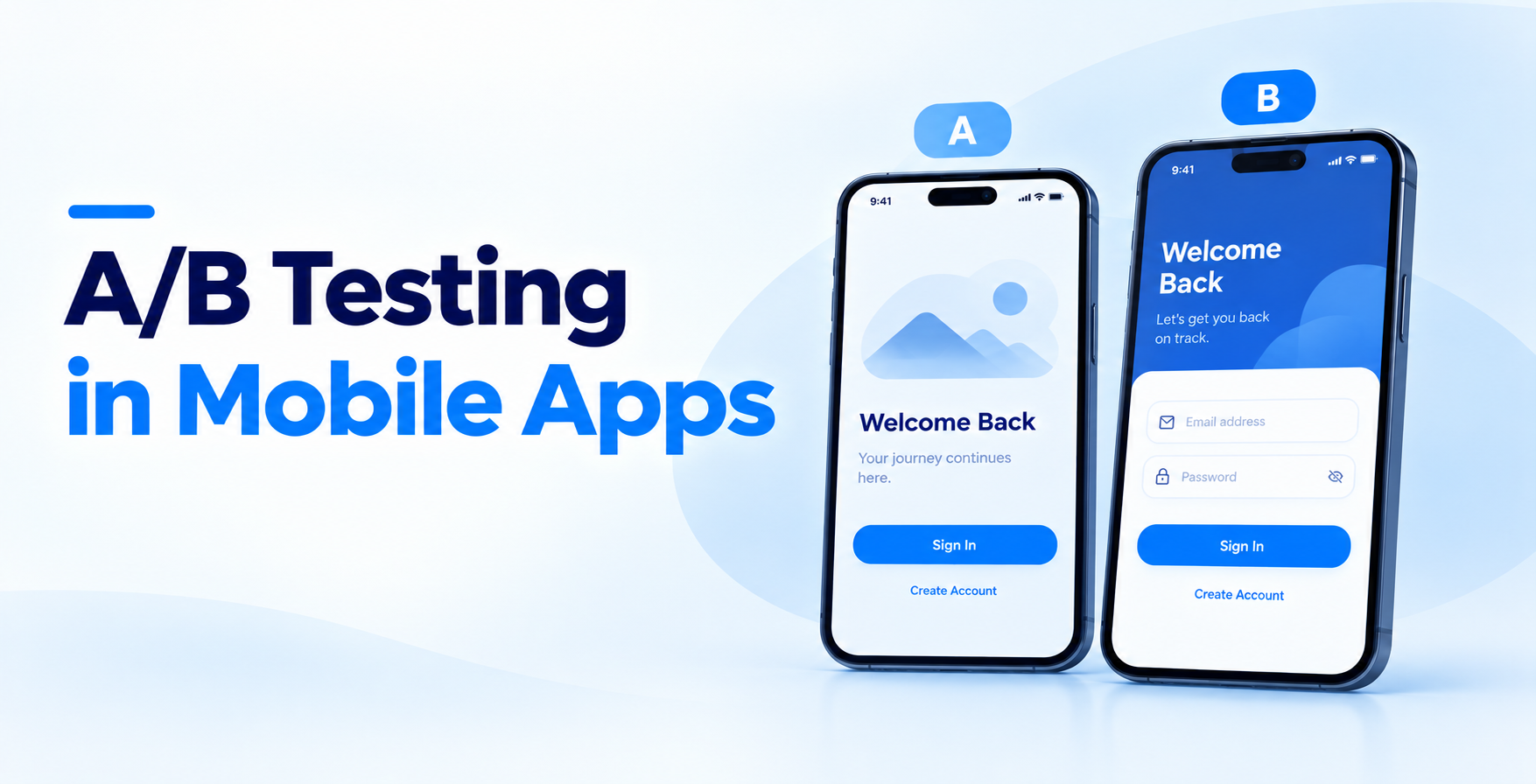
A/B testing in mobile apps means randomly assigning live users to two or more versions of a screen, flow, or price, then comparing a single pre-chosen metric between them. Everything else stays constant. The randomization is what lets you claim causation rather than coincidence.
It is not the same as QA. Software testing asks whether the build works. Experimentation asks whether the build is better. You need both, and they answer different questions at different points in the mobile app development cycle.
The payoff is well documented. Mobile-only experiments win 21.4% of the time versus 14.7% for desktop-only tests, and winning mobile tests deliver larger average lifts, according to Visionary’s 2026 study of more than 4,200 experiments (source). Mobile interfaces start rougher, so there is simply more room to improve.
On the web, a bad variant dies the second you flip it off. In an app, the variant is compiled into a binary sitting on a user’s phone. If you hardcode the experiment, killing it means a new build, a store review, and a slow trickle of updates.
This is why variants belong behind remote config or feature flags, never behind an app version. Flag-controlled tests turn off instantly. Version-controlled tests do not.
Monthly active users look reassuring. Daily users entering the specific screen you are testing look much less so.
A checkout experiment only counts users who reach checkout. Split that across two variants and your real sample can be a fraction of what you assumed. Most teams need roughly 1,000 to 2,000 users per variant to spot a 5% effect, and several thousand more for smaller ones.
Users on older builds never see your variant but still show up in platform analytics. If your exposure tracking is sloppy, those users contaminate the control group and flatten any real difference. Always segment by the minimum app version that contains the experiment.
Server-side experimentation has gone mainstream, with 47.4% of programs running server-side tests in 2026, up from 18.4% in 2022. That shift matters for apps, because server-side assignment sidesteps store review entirely.
| Tool | Pricing model | Standout strength |
| Firebase A/B Testing | Free with Firebase | Fastest path to a first test |
| Statsig | Usage based, generous free tier | Warehouse-native stats engine |
| Amplitude Experiment | Add-on to Amplitude | Analytics and experiments in one place |
| Optimizely Feature Experimentation | Enterprise contract | Governance across large orgs |
| LaunchDarkly | Per seat plus usage | Flag reliability at scale |
Firebase pairs Remote Config with Google Analytics so you can swap values, copy, and layouts without a release. It is the default starting point for most teams because it costs nothing and the SDK is already in the project.
Key features: Remote Config targeting, Bayesian result reporting, native iOS and Android SDKs, integration with Crashlytics and push campaigns.
Best for: Early-stage teams running their first handful of experiments on a modest budget.
Statsig runs experiments against your own data warehouse, which means the metrics in the experiment match the metrics in your board deck. Sequential testing support helps teams that struggle to leave tests alone.
Key features: Warehouse-native analysis, sequential and CUPED methods, feature gates, automated metric guardrails, holdout groups.
Best for: Product teams with a data engineer and a real appetite for statistical rigor.
If your product analytics already live in Amplitude, running experiments there removes an entire integration layer. Exposure events and behavioral cohorts share one definition, which kills a common source of disagreement.
Key features: Cohort-based targeting, shared metric definitions, remote evaluation, funnel-level impact analysis.
Best for: Teams already invested in Amplitude who want experiments tied to existing funnels.
Optimizely is built for organizations where many squads ship into one app and someone has to prevent collisions. Governance, approvals, and audit trails are the real product here.
Key features: Multi-team permissions, stats engine with always-valid results, mutual exclusion groups, broad SDK coverage.
Best for: Enterprises running dozens of concurrent experiments across multiple products.
LaunchDarkly started as flag infrastructure and added experimentation on top. Choose it when safe rollout matters more than deep analysis, such as staged releases and instant kill switches.
Key features: Progressive delivery, kill switches, approval workflows, experimentation layered on existing flags.
Best for: Engineering-led teams who treat flags as release infrastructure first and experiments second.
Decide the single number this experiment is allowed to move. Trial starts, day-7 retention, checkout completion, pick one. Write it down before you look at any data.
Secondary metrics exist to catch damage, not to rescue a failed test. If your primary metric flatlines and you declare victory on a secondary one, you have not run an experiment. You have run a search for good news.
Add two guardrail metrics as well, usually crash-free sessions and app launch time. A variant that lifts conversion while slowing cold start is not a win.
A usable hypothesis names the change, the audience, the expected direction, and the reason. “If we drop phone verification from signup for first-time Android users, completion should rise roughly 10%, because session replays show heavy drop-off on that screen.”
That sentence forces you to state a size, which forces a sample size calculation. Vague hypotheses like “improve onboarding” produce tests nobody can call.
Ground the reasoning in observed behavior from analytics or replays. Experiments built on evidence win far more often than experiments built on a stakeholder’s instinct.
Plug your baseline conversion rate, your minimum detectable effect, and your daily eligible users into a sample size calculator. The output tells you how long the test must run, and sometimes it tells you not to run it at all.
High-traffic apps can read a 5% effect within a week. Mid-sized apps usually need two to three weeks. Below roughly 50,000 daily users, only large effects are detectable in a reasonable window.
Always run in full weekly cycles. Weekday and weekend behavior differ enough to swing a short test.
Build control and variant into the same release, gated remotely. Verify assignment in a staging environment, confirm exposure events fire exactly once per user, and check that a user never flips between variants across sessions.
Then roll out slowly. Start at 5% of eligible users, watch crash rates and latency for a day, then open to the planned split. This staged approach is standard practice in mobile app performance optimization and it prevents a bad variant from reaching your whole base.
Document the flag owner and the planned cleanup date in the same ticket.
Resist daily significance checks. Early results swing wildly, and stopping the moment a variant looks ahead inflates false positives badly. If your platform supports sequential testing, use it, because it is built for continuous monitoring.
What you should watch daily is damage: crash rate, ANRs, API error rate, and session length collapse. Those justify an immediate stop.
Everything else waits for the predetermined end date. The discipline is boring, and it is the difference between an experiment and a guess.
Read the result against the metric you declared in step one. Three outcomes are valid: ship it, kill it, or ship it because it is neutral but cheaper to maintain.
Flat results are information, not failure. Roughly four out of five tests do not produce a winner, which is exactly why the winners pay for the program.
Then remove the dead code and retire the flag. Stale flags accumulate into a maintenance tax that shows up later during mobile app maintenance and support.
Start where money and drop-off concentrate, not where opinions are loudest.
Low traffic is the clearest case. If you cannot reach a few thousand users per variant within a month, run usability sessions and session replays instead. Qualitative research explains why people struggle, which quantitative tests never do.
Pre-launch products are another. During MVP vs full scale development decisions, you are testing whether anyone wants the product, not which button color wins.
Personalization is a third. When behavior varies sharply by segment, predictive analytics in mobile apps often beats a single global winner, because the best variant differs by user.
A/B testing in mobile apps is less about tooling than about discipline. Teams fail at it because they peek, they test five things at once, and they move the goalposts after seeing results.
The teams that win pick one metric, size the test honestly, leave it alone, and accept flat outcomes without spin. That habit compounds release after release.
If you want experimentation built into your release pipeline rather than bolted on afterward, EngineerBabu’s mobile app development teams set up flags, exposure tracking, and guardrails from the first sprint.
EngineerBabu is a technology development company building products across fintech, healthtech, and AI, from MVPs to scaled, production-ready platforms.
It holds a CMMI Level 5 rating, has worked with 4 unicorn clients, and has supported 200+ VC-funded products. The company is backed by Vijay Shekhar Sharma.
Founded by Mayank Pratap (Co-founder) · mayank@engineerbabu.com
It is a controlled experiment where live users are randomly split between two or more app variants, and one pre-chosen metric decides the winner.
Roughly 1,000 to 2,000 users per variant to detect a 5% effect. Detecting 2% or 3% effects usually requires 5,000 or more per variant.
At least one full week, and ideally two, in complete weekly cycles. Stop only at the date your sample size calculation is defined.
Yes, if both variants ship behind remote config or feature flags. Server-side assignment also lets you start and stop tests without store review.
Firebase A/B Testing, because it is free, already bundled with Firebase, and fast to configure. Move to Statsig or Amplitude as volume and rigor needs grow.
Because most do not. Industry data puts mobile win rates near 21%, so flat results are normal and still useful for ruling out bad ideas.