Custom App vs No-Code App: What's Best for Your Business


Create engaging, high-performance mobile applications tailored to your business needs. We craft future-ready apps that offer smooth user experiences on all devices.
Build robust and scalable websites and CMS platforms that help you manage content effortlessly. Our development ensures a seamless digital presence.
Launch secure, feature-rich online stores with intuitive shopping experiences. We build tailored eCommerce platforms designed for growth.
Design captivating games with immersive gameplay and stunning graphics. From concept to launch, we build engaging experiences that players love.
Enhance your customer relationships with customized Salesforce implementations. Drive growth and efficiency with smarter CRM solutions.
Harness artificial intelligence and machine learning to automate workflows and gain actionable insights. Our AI transforms data into smart decisions.
Accelerate your software delivery lifecycle with continuous integration, delivery, and infrastructure automation to boost efficiency.

A salon owner in Austin built her booking app in a no-code builder over one weekend. It worked. Three hundred bookings a month, zero developers, roughly $60 in monthly fees.
Then she wanted a loyalty wallet, split payments across two locations, and an SMS reminder flow tied to stylist availability. The platform could do two of those three things. The third needed a workaround that broke every time the vendor pushed an update.
Fourteen months in, she paid to rebuild the whole thing.
That story is the real Custom App vs No-Code App question. It is not about which technology is more impressive. It is about which one you outgrow first, and what that exit costs you.
The Custom App vs No-Code App gap has narrowed a lot in five years, and building software is no longer only a developer’s job.
Gartner projects that by 2026, developers outside formal IT departments will make up at least 80% of the user base for low-code and no-code tools, up from 60% in 2021 (Gartner). That shift is real. It still does not mean every business should stop writing code.
The labels get thrown around loosely, so let’s be precise before comparing anything.
You assemble your app inside someone else’s platform using visual blocks, templates, and prebuilt connectors. Bubble, Glide, Adalo, FlutterFlow, and Softr all sit here. You rent the infrastructure, the hosting, and the update cycle. You configure behavior instead of writing it.
Engineers write the code, own the repository, and choose the database, hosting, and architecture. You decide what happens at every layer. Nobody can deprecate a feature you depend on, and nobody caps how many records your database holds.
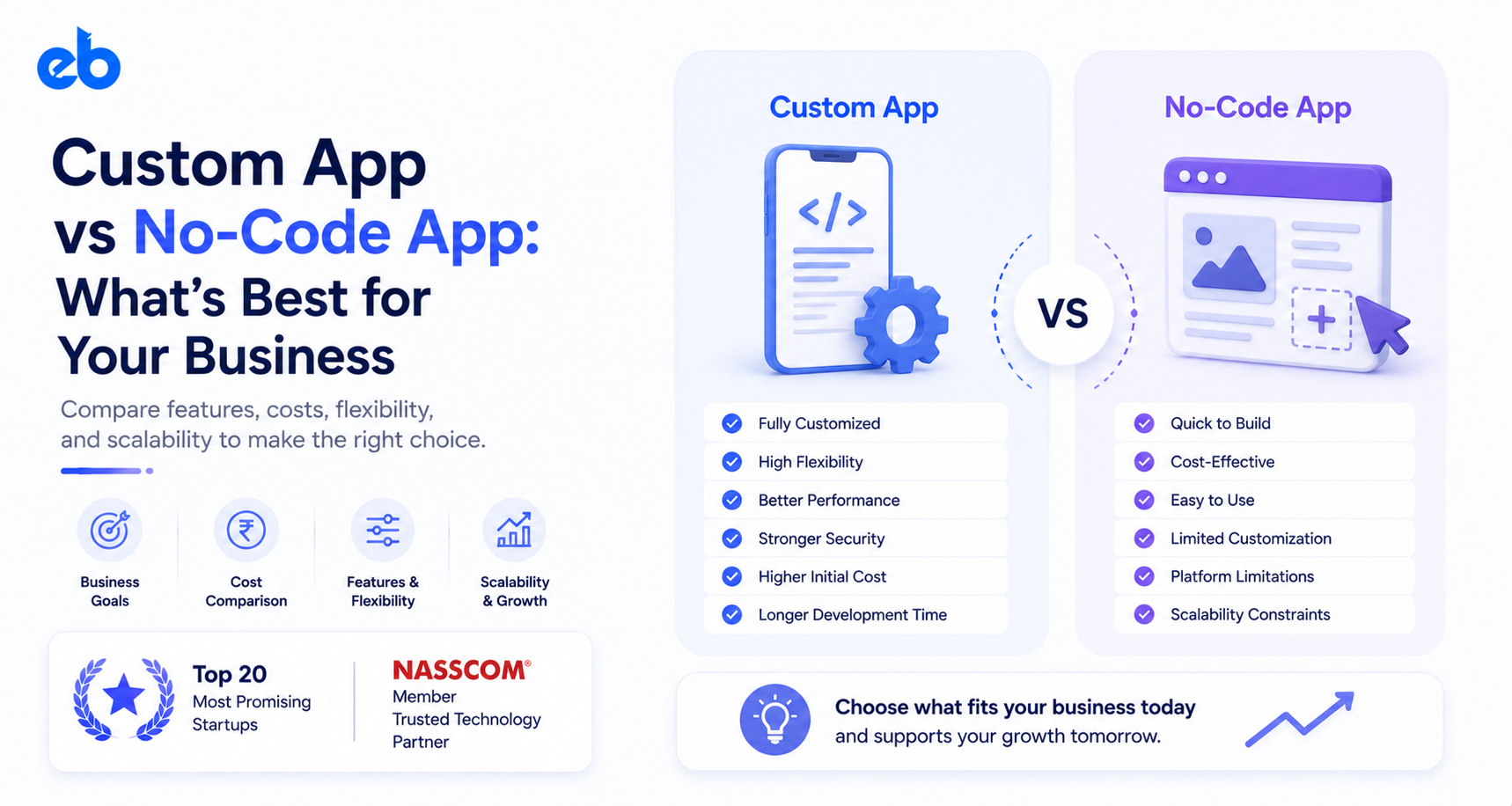
The Custom App vs No-Code App trade fits in one line. No-code buys speed and cheap failure. Custom buys control and a ceiling you set yourself.
Here is how the two options compare on the factors that decide outcomes later.
| Factor | No-Code App | Custom App |
| Time to first launch | 2 to 6 weeks | 3 to 6 months |
| Upfront cost | $0 to $5,000 | $30,000 to $150,000+ |
| Code ownership | None, you license access | Full, the repo is yours |
| Scaling ceiling | Set by the vendor’s plan tiers | Set by your architecture budget |
| Third-party integrations | Only what connectors allow | Anything with an API |
| Compliance depth | Basic, vendor-dependent | HIPAA, SOC 2, PCI achievable |
| Ongoing cost | Per user, per record, per action | Hosting plus maintenance |
| Vendor lock-in risk | High | Low |
Read that table twice. Most founders only compare row two and stop there.
No-code is not a beginner’s toy. In the Custom App vs No-Code App comparison, it is the right answer in four clear situations.
You are validating demand and have no proof anyone wants this. A no-code build lets you test pricing and messaging in weeks. A thin no-code prototype is often the cheapest possible route into MVP Development, because you learn what to build properly before anyone writes production code.
Your app is internal. Approval workflows, inventory logs, field-team checklists, and onboarding trackers rarely need custom engineering. Under a hundred users and simple logic means no-code wins on cost every time.
Your feature list is stable and shallow. Directories, event apps, simple booking tools, and content hubs sit comfortably inside platform limits and stay there.
Your budget is under $10,000. Half a custom app helps nobody. A complete no-code app that works beats a stalled build.
Certain requirements settle the Custom App vs No-Code App debate before the first meeting ends.
No-code pricing looks like a rounding error at launch. It scales with usage, which is exactly when you can least afford surprises.
A mid-tier plan running $200 a month is $2,400 a year. Add paid connectors, extra editor seats, workflow-action overages, and a premium plan at 10,000 users, and many teams land between $1,200 and $2,500 monthly by year two.
A custom build at $60,000 upfront plus $1,000 a month in hosting and maintenance costs roughly $84,000 over three years. The comparable no-code path, once growth kicks in, often lands near $50,000 with none of the asset left behind.
The gap narrows fast. And only one of those two numbers leaves you owning something.
Here is the cost line that ruins budgets. Migrating off a no-code platform is not a port. It is a rewrite.
Your business logic lives inside proprietary visual workflows that do not export. Your data comes out as CSVs that need reshaping into a real schema. Your integrations get rebuilt one at a time.
Teams routinely spend three to five months and $40,000 or more on that transition, while still paying platform fees to keep the old app alive. Plan the Custom App vs No-Code App decision knowing this bill exists.
Not today’s list. Everything you expect to ship over the next six quarters, including the features your sales team keeps promising. Now check each one against your shortlisted platform’s documentation, not its marketing page.
If more than three features need workarounds, plugins, or “coming soon” replies, no-code will not carry you to month 18. That single exercise resolves the Custom App vs No-Code App question faster than any cost spreadsheet, because roadmaps expose ceilings that pricing tables hide completely.
List every external system your app must talk to, then find the official connector for each. Payment gateways, CRMs, and email tools are usually covered. Core banking systems, hospital records, logistics platforms, and government ID services usually are not. Count how many need custom middleware.
If the answer is more than two, you are already paying for custom engineering while renting a platform. At that point, building properly costs less than maintaining two fragile layers that break independently of each other.
Model both paths at your realistic year-three user count. For no-code, include plan tiers, per-seat charges, action limits, paid plugins, and the migration cost you will likely face. For custom, include build, hosting, monitoring, and 15 to 20% of build cost annually for maintenance.
Put both Custom App vs No-Code App numbers side by side. Founders who do this often find the difference is far smaller than expected, and the custom column ends with an asset on the balance sheet.
Ask a direct question: if a regulator or enterprise client audited your app next quarter, could you produce what they want? That means encryption details, access logs, data residency, breach procedures, and signed agreements.
No-code vendors publish certifications for their platform, which is not the same as certification for what you built on it. Healthcare, lending, and insurance products almost always fail this step, and that failure alone decides the outcome.
The Custom App vs No-Code App choice is rarely permanent, and treating it as binary costs money.
Build the customer-facing product custom, because that is where performance, brand, and ownership matter. Run internal operations on no-code, because your ops team should not queue behind a sprint board to change an approval step.
Plenty of funded companies do exactly this. The product is engineered, while the recruiting tracker and vendor dashboard live in Airtable and Retool.
Ask what happens if this works, not what gets you live fastest.
If success means 500 users and a cleaner workflow, no-code is the right call and spending six figures would be waste.
If success means 50,000 users, an investor round, regulated data, or an acquisition conversation, then the Custom App vs No-Code App answer is custom, and starting there saves you a rebuild.
The expensive mistake is not picking wrong. It is picking without checking your 18-month roadmap first. Do that honestly and the Custom App vs No-Code App decision makes itself.
Yes, and many companies do. Just budget for it as a rewrite rather than a migration. Business logic in visual workflows does not export, so expect three to five months and a meaningful cost when you move.
For basic personal data on a reputable platform, usually yes. For payment credentials, medical records, or anything under HIPAA, PCI DSS, or similar rules, no. You cannot control encryption or audit logging at the depth those standards require.
No-code typically runs $0 to $5,000 upfront with monthly fees that grow with usage. Custom builds start near $30,000 and reach $150,000 or more. Over three years at scale, the totals often converge more than founders expect.
No-code handles simple API calls to existing AI services fine. Custom scoring models, trained recommendation engines, or anything needing your own data pipeline require custom development and infrastructure you control.
Pre-revenue, no-code wins because learning matters more than architecture. Once you have paying users, funding, or a regulated feature set, custom wins. The Custom App vs No-Code App answer changes with your stage, so revisit it every two quarters.
Early validation on no-code is accepted and often praised as capital-efficient. At Series A and beyond, investors expect owned code, since platform dependency is treated as a real technical risk to the business.
Yes, provided they deliver genuine native functionality rather than a thin website wrapper. Apple in particular rejects apps offering little beyond repackaged web content, so check your builder’s export approach before committing.