How to Build an App Like Teachmint (Features, Stack, Cost)



Create engaging, high-performance mobile applications tailored to your business needs. We craft future-ready apps that offer smooth user experiences on all devices.
Build robust and scalable websites and CMS platforms that help you manage content effortlessly. Our development ensures a seamless digital presence.
Launch secure, feature-rich online stores with intuitive shopping experiences. We build tailored eCommerce platforms designed for growth.
Design captivating games with immersive gameplay and stunning graphics. From concept to launch, we build engaging experiences that players love.
Enhance your customer relationships with customized Salesforce implementations. Drive growth and efficiency with smarter CRM solutions.
Harness artificial intelligence and machine learning to automate workflows and gain actionable insights. Our AI transforms data into smart decisions.
Accelerate your software delivery lifecycle with continuous integration, delivery, and infrastructure automation to boost efficiency.
Hire app developers ready to turn your ideas into sleek, high-performing mobile apps for any platform.
Bring in frontend pros who craft smooth, beautiful, and user-friendly interfaces that your visitors will love.
Get backend developers who build fast, secure, and reliable systems to keep everything running behind the scenes.
Hire eCommerce developers who build secure, scalable online stores designed to offer seamless shopping and grow your sales.
Get dedicated developers committed to your projects, delivering consistent quality and speed as an extension of your team.
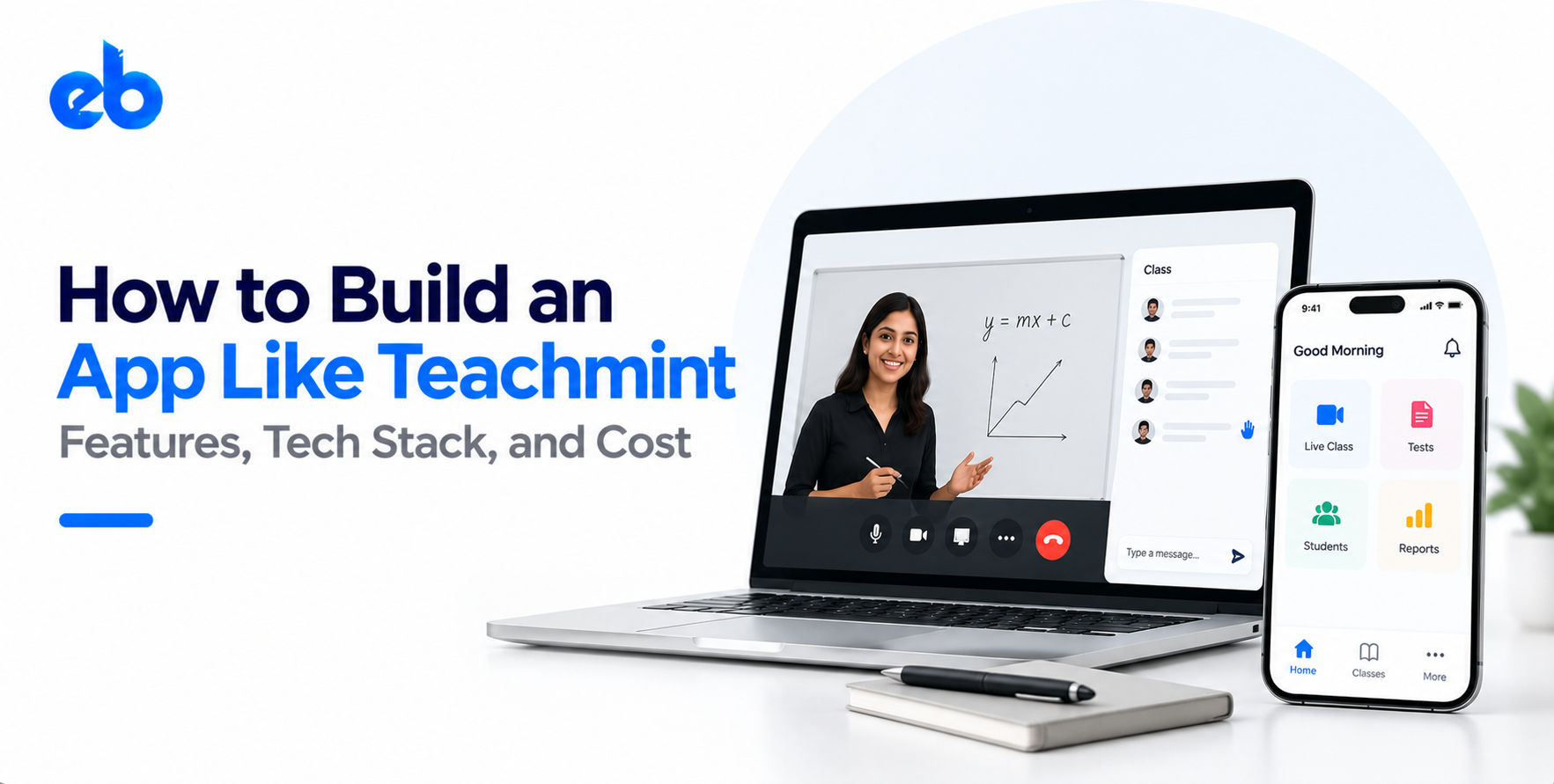
Teachmint Did Not Win Because of Video Quality.
In May 2020, every coaching teacher in India had Zoom. Most of them still moved to Teachmint. The reason was never video quality. It was that a teacher could open one app, start a class, mark attendance, share notes, and send a fee reminder to a parent, all without leaving the screen.
That is the actual product insight worth stealing. If you want to build an app like Teachmint, you are not building a video calling tool with a school logo. You are building the daily operating system of a small institute, and video is just one screen inside it.
This guide breaks down what that system contains, how to build it, what stack holds it up, and what it realistically costs.
The market case is simple. India’s edtech market was valued at $7.5 billion in 2024 and is projected to reach $29 billion by 2030, according to an IAMAI and Grant Thornton Bharat study (IBEF).
The interesting part is where that growth sits. Consumer test-prep apps have cooled off. Institute-facing software has not. There are hundreds of thousands of coaching centers, tuition classes, and mid-sized schools still running attendance on WhatsApp and fees in a register.
That gap is exactly why founders build an app like Teachmint today. You sell to an institute once and serve every teacher, student, and parent inside it. Retention comes from operations, not from content the student may stop watching in week three.
Before feature lists, get the shape right. Teachmint works because three products share one database.
Skip any one of these and you have a thinner product. Most teams that try to build an app like Teachmint build the first layer beautifully and then discover that institutes buy the second one.
This is the feature that gets judged in the first five minutes. Your video layer needs adaptive bitrate, audio-only fallback, and recovery when a teacher’s connection drops mid-class.
Build it on WebRTC through a provider like Agora, 100ms, or LiveKit rather than from scratch. Add screen share, a whiteboard, hand raise, in-class polls, and automatic recording to cloud storage. Teams working on virtual classroom software development usually spend more time on network edge cases than on the video itself.
Attendance should auto-capture from class join data, with manual override for the teacher. Homework needs assignment creation, submission upload, deadline tracking, and grading with comments.
Assessments carry more weight than founders expect. Question banks, timed tests, auto-evaluation for objective questions, and instant score reports are what convert a trial into a paid account. These modules overlap heavily with a standard learning management system, so architect them as reusable services from day one.
Fees are the stickiest module in the product. An institute that runs its collections through your app does not churn easily.
You need fee structures per batch, installment plans, discounts and scholarships, receipt generation, overdue tracking, and automated reminders. Integrate UPI, cards, and netbanking through Razorpay or Cashfree. Reconciliation reports matter more than the checkout screen, because the admin lives in that report every month.
Parents are the silent decision makers. Give them a light app view with attendance history, marks, fee status, and teacher announcements.
Keep notifications restrained. Absence alerts, test results, fee due dates, and holiday notices are enough. Over-notifying parents is the fastest way to get an app uninstalled from the one phone that pays for it.
The admin panel is where your revenue is defended. Owners want batch creation, teacher assignment, timetable management, staff roles and permissions, and reports on collections, attendance trends, and class hours delivered.
Multi-branch support is worth building early if you plan to sell to school chains. Retrofitting tenancy later is painful. This is also where a solid course management software structure pays off, since batches and subjects need to map cleanly to content.
| Layer | Practical choice | Why |
| Mobile app | Flutter or React Native | One codebase for iOS and Android, low-end device support |
| Web and admin | React or Next.js | Fast dashboards, easy SEO for public pages |
| Backend | Node.js or Django | Strong ecosystem for real-time and REST work |
| Database | PostgreSQL with Redis | Relational data for batches and fees, caching for live sessions |
| Live video | Agora, 100ms, or LiveKit | Managed WebRTC, adaptive quality, recording included |
| Payments | Razorpay, Cashfree, Stripe | UPI plus cards, webhook-driven reconciliation |
| Notifications | FCM plus WhatsApp Business API | Parents actually open WhatsApp |
| Storage and CDN | AWS S3 with CloudFront | Cheap recording storage, fast playback |
Two rules matter more than the brand names. First, build for a ₹9,000 Android phone on a patchy 4G connection, not for your test device. Second, keep every third-party dependency behind your own API layer so you can swap a video or payment vendor without rewriting the app.
Do not start with features. Start with a segment. A 60-student coaching center, a K-12 school, and a music academy want three different products.
Sit with five owners from your chosen segment. Watch how they take attendance today, how they chase fees, and what they already pay for. You will usually find that their real pain is collections or parent complaints, not live video. That single insight decides which module you build first and how you price the product.
Institutes, branches, batches, subjects, teachers, students, parents, and guardians all relate to each other in messy ways. One student can sit in three batches. One parent can have two children in different branches.
Map these relationships properly before any screen is designed. Multi-tenancy, role-based permissions, and academic year rollovers should exist in version one of the schema. Almost every painful rebuild in edtech traces back to a data model that assumed one school, one batch, and one parent per student.
Your first release needs live classes, attendance with homework, and fee collection. Nothing else. Parent view can be a read-only screen and analytics can be three numbers on a dashboard.
Ship to a handful of friendly institutes and watch a real class hour end to end. Deciding scope here is the classic MVP versus full-scale development tradeoff, and edtech punishes over-building badly. A focused MVP takes 12 to 16 weeks, while a full platform pushes past six months.
Once teachers start using it daily, the live class becomes your weakest point. Test it under real conditions: 40 students joining in 30 seconds, a teacher switching from WiFi to mobile data, an old device with 2GB RAM.
Add automatic reconnection, audio-only mode, recording retries, and a clear error state instead of a frozen screen. Log every session drop with device and network details. Fixing the top three failure patterns usually removes most of your support tickets.
Now wire up payments properly. Webhook-driven status updates, idempotent transaction handling, automated receipts, and a reconciliation report an accountant can actually trust.
Alongside this, handle compliance. Student data belongs to minors, so encrypt personal data at rest, restrict access by role, keep audit logs, and publish a clear consent policy. If you sell outside India, check FERPA and GDPR requirements early. Institutes ask about data ownership in the very first sales call, and a vague answer costs you the deal.
Only after the core is stable should AI enter the product. The highest value use cases are unglamorous: auto-generating quizzes from uploaded notes, summarizing a recorded class, flagging students whose attendance is slipping, and drafting parent messages.
Doubt-solving assistants sit closer to full AI tutoring platform development and cost more to run. Start with teacher-side automation because it reduces daily workload, which is what keeps an institute paying you next term.
| Scope | What it includes | Estimated cost | Timeline |
| MVP | Live classes, attendance, homework, fees, basic admin | $25,000 to $45,000 | 12 to 16 weeks |
| Growth version | Assessments, parent app, reports, multi-branch | $50,000 to $90,000 | 5 to 7 months |
| Full platform | ERP depth, AI modules, analytics, white label | $100,000 to $180,000+ | 8 to 12 months |
Running costs deserve equal attention. Video minutes, cloud storage for recordings, SMS and WhatsApp credits, and payment gateway fees scale with usage, not with your headcount. Model these per active student before you set pricing.
For a deeper line-item breakdown across modules and regions, this guide on edtech platform development cost is a useful companion read.
Building this well means handling real-time video, financial transactions, and student data in one product, all of which fail in different ways.
EngineerBabu works with founders and institutions as an e-learning app development company, covering architecture, mobile and backend engineering, payments, and AI modules through a CMMI Level 5 delivery process.
If you plan to build an app like Teachmint for a specific segment, the fastest path is a scoped MVP with real institutes using it inside a quarter.
Ready to scope your build? Talk to the EngineerBabu team about your edtech product.
A focused MVP with live classes, attendance, and fees takes 12 to 16 weeks. A full institute platform with assessments, multi-branch support, and analytics usually needs 8 to 12 months. Timelines shift based on team size and how clearly your data model is defined upfront.
Expect $25,000 to $45,000 for an MVP and $100,000 or more for a complete platform. Video minutes, storage, and messaging credits add recurring monthly costs that scale with active users, so factor them into pricing from the start.
No. Managed WebRTC providers like Agora, 100ms, and LiveKit handle adaptive streaming, recording, and scaling. Building your own media servers only makes sense at very high volumes or with unusual compliance requirements.
Coaching centers decide faster and have shorter sales cycles. Schools pay more but need procurement approvals, deeper ERP features, and longer pilots. Most teams start with coaching centers and grow into schools once the product is stable.
A marketplace sells content to individual learners. A Teachmint-style app sells operations to institutes. The revenue model, retention driver, and feature depth are entirely different, which is why an app like Unacademy follows a separate build path.