How to Build a Transportation Management System (TMS) - Freight Booking, Carrier Management, Rate Engine, and Real-Time Visibility 2026



Create engaging, high-performance mobile applications tailored to your business needs. We craft future-ready apps that offer smooth user experiences on all devices.
Build robust and scalable websites and CMS platforms that help you manage content effortlessly. Our development ensures a seamless digital presence.
Launch secure, feature-rich online stores with intuitive shopping experiences. We build tailored eCommerce platforms designed for growth.
Design captivating games with immersive gameplay and stunning graphics. From concept to launch, we build engaging experiences that players love.
Enhance your customer relationships with customized Salesforce implementations. Drive growth and efficiency with smarter CRM solutions.
Harness artificial intelligence and machine learning to automate workflows and gain actionable insights. Our AI transforms data into smart decisions.
Accelerate your software delivery lifecycle with continuous integration, delivery, and infrastructure automation to boost efficiency.
Hire app developers ready to turn your ideas into sleek, high-performing mobile apps for any platform.
Bring in frontend pros who craft smooth, beautiful, and user-friendly interfaces that your visitors will love.
Get backend developers who build fast, secure, and reliable systems to keep everything running behind the scenes.
Hire eCommerce developers who build secure, scalable online stores designed to offer seamless shopping and grow your sales.
Get dedicated developers committed to your projects, delivering consistent quality and speed as an extension of your team.
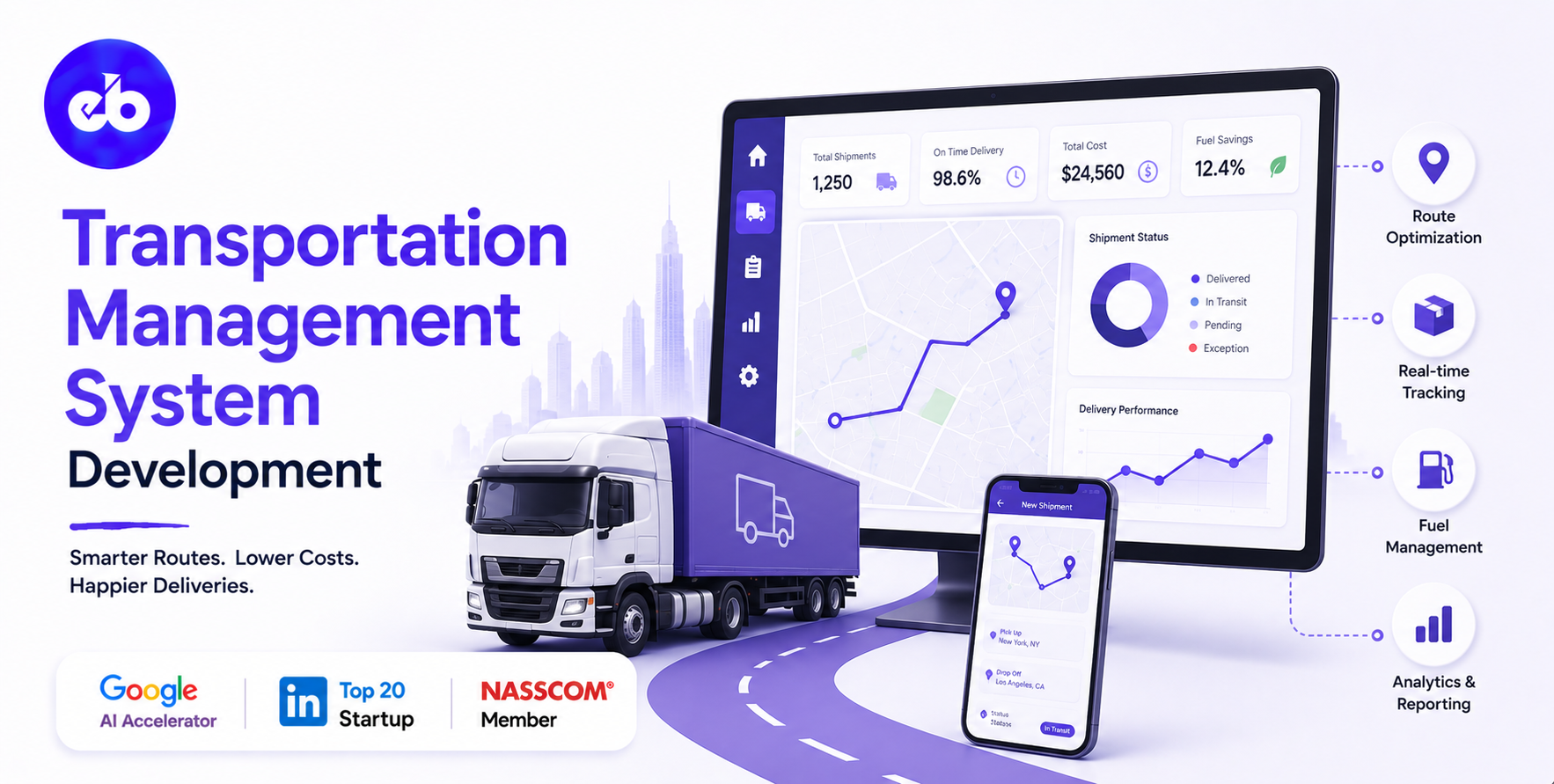
The US freight market moves $900 billion worth of goods annually. Most of it is still managed through a combination of phone calls, email threads, spreadsheet load tracking, and carrier portals that do not talk to each other.
The companies that are winning in logistics in 2026 are the ones that replaced this with a single operating system, a TMS that handles everything from load tendering to carrier payment, with full real-time visibility at every step.
A Transportation Management System is not a tracking app. It is the operational brain of a freight business, handling rate negotiation, load planning, carrier assignment, shipment execution, exception management, and financial settlement in one connected platform.
Built right, it reduces cost-per-shipment by 8 to 15%, improves on-time delivery by 20 to 30%, and gives management the visibility to make decisions in hours instead of days.
This guide covers how to build one from scratch, every module, every integration, every architectural decision that determines whether the platform holds up at scale or collapses under its own complexity.
EngineerBabu built logistics technology for Serman Logistics and enterprise operations management for Adani Group. CMMI Level 5. Google AI Accelerator 2024 Top 20. Contact: mayank@engineerbabu.com
Most people who have not built a TMS underestimate its scope. It is easy to think of it as a “shipment tracker.” It is not. A production-grade TMS manages a chain of decisions and transactions that begins before a load exists and ends after the carrier has been paid.
Here is the complete operational lifecycle a TMS must handle:
| Stage | What Happens | TMS Function |
| Order intake | Customer places a shipment order | Order management, validation, classification |
| Rate shopping | Find the best carrier and rate for this load | Rate engine, carrier comparison, mode selection |
| Load planning | Consolidate orders into optimal loads | Load optimisation, weight/cube calculation |
| Carrier tendering | Offer the load to carriers | Automated tendering, acceptance tracking |
| Booking confirmation | Carrier accepts and confirms | Booking management, document generation |
| Shipment execution | Load picks up and moves | Real-time tracking, event management |
| Exception management | Delay, damage, or deviation detected | Alert routing, carrier communication, escalation |
| Proof of delivery | Delivery confirmed | POD capture, signature, photo |
| Freight audit | Carrier invoice validated against contracted rate | Invoice matching, dispute management |
| Carrier payment | Carrier paid | Payment processing, settlement |
| Customer billing | Customer invoiced for shipment | Invoice generation, revenue recognition |
| Analytics | Performance reported | Carrier scorecards, cost analytics, SLA reporting |
Every one of these stages is a module. Skip one and the platform has a gap that someone fills with a spreadsheet. Every spreadsheet that replaces a platform module is a fragility point and a data accuracy problem.
Every shipment starts as an order. The order management module is where the TMS first touches the freight, capturing what needs to move, from where, to where, by when, and under what service requirements.
What the order intake captures:
| Field | Details |
| Origin | Address, facility code, contact, operating hours |
| Destination | Address, facility code, contact, operating hours, delivery window |
| Commodity | Description, NMFC class (for LTL), HS code (for international), hazmat flags |
| Dimensions and weight | Per piece and per shipment |
| Service requirements | Temperature-controlled, liftgate, inside delivery, appointment required |
| Requested ship date | And delivery date if specified |
| Order reference | Customer PO number, order number |
| Special instructions | Fragile, stackable, driver assist, etc. |
The classification engine:
Once the order is captured, the TMS classifies it automatically:
Shipment mode (FTL vs LTL vs parcel vs intermodal) based on weight, cube, and destination. Freight class (for LTL) based on commodity density, stowability, handling, and liability, using the NMFC classification table. Hazmat status based on commodity codes matched against DOT/IATA hazmat tables.
This classification drives everything downstream, which carriers are eligible, which rate tables apply, which compliance documents are required. Getting it right at intake prevents expensive corrections later.
Order source integrations:
| Source | Integration Method | Volume Use Case |
| ERP (SAP, Oracle, NetSuite) | API or EDI 850 | Enterprise shippers |
| WMS | API or webhook | Warehouse-triggered shipments |
| E-commerce platform (Shopify, Magento) | API | D2C and retail fulfillment |
| Customer portal | Web form or EDI | Self-service order submission |
| EDI 204 | Motor carrier load tender standard | Direct carrier integration |
| Manual entry | Web UI | Low-volume or exception orders |
The rate engine is where the TMS delivers its clearest financial value. A well-built rate engine finds the optimal combination of cost, transit time, and service level for every load, automatically, in under three seconds.
What the rate engine must handle:
| Rate Type | Data Source | Complexity |
| LTL carrier rates | Tariff files (SMC3, carrier-specific) + accessorial schedules | High – hundreds of rate tables, discount structures |
| FTL spot rates | Carrier bids, load board scraping (DAT, Truckstop) | Medium – dynamic, market-driven |
| FTL contract rates | Negotiated rate agreements per lane | Medium – lane-specific, volume tiers |
| Parcel rates | UPS/FedEx/USPS rate API | Medium – zone-based, weight breaks |
| Intermodal rates | Rail carrier APIs + drayage rates | High – multi-leg pricing |
| International freight | Forwarder rate sheets + spot quotes | Very high – multi-mode, multi-currency |
The LTL rate engine in detail:
LTL pricing is the most complex freight rate calculation in the industry. The base rate is calculated from the freight class, weight, and origin-destination pair using a carrier’s tariff (a massive lookup table).
Then a discount is applied, typically 70 to 85% off the base rate based on the shipper’s negotiated agreement. Then accessorials are added: fuel surcharge (calculated from DOE weekly diesel price using a carrier-specific formula), residential delivery, liftgate, inside delivery, appointment, notification, and so on.
The engine must store every carrier’s current tariff, apply the correct discount for the shipper’s contract, calculate the correct fuel surcharge for the delivery date, and apply the right accessorials based on the shipment’s service requirements, all in real time.
The carrier recommendation output:
| Carrier | Transit Days | Total Cost | Service Level | On-Time % |
| XPO Logistics | 2 days | $847 | Standard LTL | 94.2% |
| Old Dominion | 2 days | $923 | Premium LTL | 97.8% |
| Estes Express | 3 days | $712 | Standard LTL | 91.6% |
| FedEx Freight | 2 days | $1,047 | Premium LTL | 96.1% |
The shipper selects or the TMS auto-selects based on configured preference rules, cheapest option, fastest option, highest on-time option, or a weighted score that balances all three.
For FTL shippers and 3PLs managing multiple orders, load planning is where significant cost savings sit. The load planning engine answers one question: how do we group these orders into loads in a way that minimises the number of trucks needed while satisfying all delivery windows?
The load optimisation problem:
Given N orders with varying origins, destinations, weights, dimensions, and delivery windows, and a fleet of vehicles with varying capacities and home locations, find the assignment of orders to loads that minimises total miles driven while ensuring:
This is a variant of the Vehicle Routing Problem. The TMS uses Google OR-Tools, a proprietary optimisation solver, or a ML-based approach depending on the complexity of the operation.
What load planning produces:
| Output | Details |
| Load manifest | Which orders are on which load, in what sequence |
| Pickup and delivery sequence | Optimised stop order for multi-stop loads |
| Weight and cube utilisation | Percentage of capacity used per load |
| Estimated miles and transit time | For cost and delivery window validation |
| Driver assignment | If fleet management is integrated |
| Load documents | Bill of lading, shipping labels, packing list |
Consolidation opportunities:
The engine also identifies LTL-to-FTL consolidation opportunities. If multiple LTL shipments going to the same region exceed the weight threshold where FTL becomes cheaper, the engine flags them and suggests consolidation. This single optimisation typically saves 15 to 25% on eligible lanes.
Once a load is planned and a carrier is selected, the load needs to be tendered, formally offered to the carrier with all relevant details, and confirmed before dispatch.
The tendering workflow:
| Step | Action | Timing |
| 1. Primary tender | Load sent to preferred carrier via EDI 204 or API | Immediate |
| 2. Acceptance window | Carrier has a defined time to respond | Typically 1–4 hours |
| 3. Acceptance received | EDI 990 or API confirmation | Auto-confirm in TMS |
| 4. Declined or no response | Load moves to next carrier in the sequence | Automatic cascade |
| 5. Spot quote (fallback) | If no contracted carrier accepts, post to load board | Automatic with threshold triggers |
| 6. Booking confirmed | Rate, carrier, and driver details locked | Booking record created |
EDI integrations for carrier communication:
| EDI Transaction | Purpose |
| 204 — Motor Carrier Load Tender | Offer a load to a carrier |
| 990 — Response to Load Tender | Carrier accepts or declines |
| 214 — Shipment Status Message | Real-time status updates from carrier |
| 210 — Motor Carrier Freight Invoice | Carrier submits invoice |
| 997 — Functional Acknowledgement | Confirms EDI message received |
For carriers not yet on EDI, still a large portion of smaller trucking companies, the TMS offers a carrier portal where carriers can view loads, accept or decline, and submit status updates through a web interface. This brings non-EDI carriers into the same workflow without requiring them to invest in EDI capability.
Visibility is the feature that shippers notice most immediately. The ability to see where every shipment is at any moment, without calling the carrier, is the most direct quality-of-life improvement a TMS delivers.
Tracking data sources:
| Source | Data Quality | Coverage |
| Carrier EDI 214 status messages | High – structured, standardised | Large carriers with EDI capability |
| Carrier tracking API | High – real-time, event-driven | Major carriers with API programmes |
| MacroPoint / Project44 / FourKites | Very high – GPS from driver device | Broad carrier coverage via telematics networks |
| ELD integration | Very high – mandated GPS from ELD device | All CMV-regulated carriers |
| Driver mobile app (carrier portal) | Medium – manual updates | Small carriers without telematics |
| Geofence triggers | High – arrival/departure auto-detected | Configured at origin and destination addresses |
The event model:
Every shipment in the TMS has a structured event timeline:
| Event | Trigger | Notification |
| Order created | TMS record created | Internal only |
| Tendered to carrier | EDI 204 sent | Carrier notification |
| Carrier accepted | EDI 990 received | Shipper + internal |
| Driver assigned | Carrier updates in portal | Shipper notification |
| En route to pickup | GPS departure from carrier terminal | Internal alert |
| Arrived at pickup | Geofence trigger at origin | Shipper + internal |
| Picked up | Driver confirmation or EDI update | Shipper – shipment in transit |
| In transit | Periodic GPS updates | Dashboard update |
| Arrived at delivery | Geofence trigger at destination | Shipper + consignee |
| Delivered | POD captured | Shipper + customer – delivery confirmation email |
| Exception | Any deviation from expected timeline | Alert + escalation |
Exception management:
When a shipment goes off-track, late pickup, missed delivery window, potential transit delay, the exception engine fires.
It calculates whether the shipment will still make its delivery window at the current pace, routes an alert to the right person (carrier manager, account manager, or operations team), and creates a task for follow-up. Exceptions are tracked to resolution and rolled into carrier performance scorecards.
This is where most logistics operations have the most hidden cost leakage. Studies show that 5 to 10% of carrier invoices contain billing errors, overcharges on accessorials, incorrect weight charges, duplicate invoices, or rate misapplication. At scale, this is hundreds of thousands of dollars annually.
The freight audit module catches all of it automatically.
The audit workflow:
| Step | What Happens |
| Invoice received | Carrier submits invoice via EDI 210, email PDF, or carrier portal |
| Invoice parsing | Extract: carrier, PRO number, charges by line item, total |
| Rate verification | Compare invoice charges to contracted rates in TMS rate tables |
| Accessorial validation | Verify each accessorial was applicable and authorised |
| Weight reconciliation | Compare invoiced weight against shipper-declared weight |
| Duplicate check | Check PRO number and shipment details against previously paid invoices |
| Match result | Auto-approve (within tolerance), flag for review, or auto-dispute |
| Dispute generation | For discrepancies above threshold, formal dispute submitted to carrier |
| Payment processing | Approved invoices queued for payment via ACH or check |
The tolerance rules:
Not every invoice discrepancy warrants a dispute. The platform applies configurable tolerance rules, for example, discrepancies under $25 are auto-approved, discrepancies of $25–$100 are flagged for review, discrepancies above $100 are automatically disputed. These thresholds are configurable per carrier relationship.
The financial impact:
A shipper moving $5M in freight annually typically recovers $150,000 to $400,000 per year through automated freight audit, money that was previously being paid without challenge. The platform pays for itself.
If the TMS serves a 3PL or freight broker, the customer-facing portal is as important as the internal operations platform. Customers need self-service access to shipment status, document retrieval, reporting, and quoting, without calling an account manager.
Customer portal features:
| Feature | Details |
| Shipment tracking | Real-time status for all active and historical shipments |
| Quote request | Self-service rate shopping against the customer’s contracted rates |
| Order submission | Upload CSV or submit individual orders via web form |
| Document access | BOL, POD, invoices – downloadable on demand |
| Reporting | Cost by lane, carrier performance, volume trends – customisable |
| Alerts | Email/SMS alerts for shipment status changes |
| Claims filing | Self-service freight claim submission and status tracking |
| Account management | Invoice history, payment status, credit balance |
The customer portal is a retention tool as much as a service tool. A customer who can see everything they need without calling is less likely to switch to a competitor who offers the same operational service.
A TMS that does not generate actionable intelligence from its operational data is leaving its most valuable output untapped. Every shipment creates data points, on-time performance, tender acceptance rate, transit time reliability, invoice accuracy, claims rate.
Aggregated across carriers and lanes, this data determines where to direct volume and where to negotiate harder.
Carrier scorecard metrics:
| Metric | Calculation | Benchmark |
| On-time pickup rate | Pickups on or before scheduled date / total pickups | > 95% |
| On-time delivery rate | Deliveries within window / total deliveries | > 95% |
| Tender acceptance rate | Loads accepted / loads tendered | > 85% |
| Invoice accuracy rate | Clean invoices / total invoices | > 92% |
| Claims rate | Claims filed / total shipments | < 0.5% |
| Transit time reliability | Actual vs promised transit days | ± 0.5 days average |
| Response time to exceptions | Average hours from exception to resolution | < 4 hours |
Lane cost analytics:
| View | Business Question |
| Cost per shipment by lane | Which lanes are most/least cost-efficient? |
| Mode comparison by lane | Where should we shift from LTL to FTL or intermodal? |
| Carrier cost by lane | Which carrier is cheapest on each lane we use? |
| Fuel surcharge trend | How is FSC moving and what is the impact on our cost? |
| Accessorial spend analysis | Which accessorials are we paying most for? Can any be reduced? |
| Month-on-month cost trend | Is our freight cost improving or worsening? |
| Layer | Technology | Reason |
| Backend | Node.js + Python | Node.js for high-throughput API handling; Python for rate engine and optimisation |
| Database | PostgreSQL + Redis | Relational integrity for shipment data; Redis for real-time tracking events |
| EDI processing | Mirth Connect or Stedi | Industry-standard EDI X12 processing |
| Tracking integrations | Project44 or FourKites API | Broadest carrier telematics coverage |
| Rate engine | Custom Python engine + SMC3 tariff data | LTL rate calculation requires proprietary tariff access |
| Load optimisation | Google OR-Tools | Open-source, production-grade VRP solver |
| Maps | Google Maps Platform or HERE | Lane visualisation, geofencing, ETA calculation |
| Customer portal | React + Next.js | Fast, server-rendered, SEO-friendly |
| Mobile (carrier portal) | Flutter or React Native | Cross-platform carrier mobile app |
| Document generation | PDF generation service | BOL, carrier invoices, POD documents |
| Cloud | AWS (us-east-1) | Proximity to US carrier APIs and EDI networks |
| Security | SOC 2 Type II controls, TLS 1.3, AES-256 | Required for enterprise shipper procurement |
| Module | Cost Range (USD) | Notes |
| Order management + shipment classification | $8K – $15K | NMFC lookup, hazmat validation, multi-source intake |
| Rate engine (LTL + FTL + parcel) | $15K – $28K | Most complex module, tariff storage, discount engine, accessorial logic |
| Load planning and optimisation | $10K – $20K | OR-Tools integration + consolidation logic |
| Carrier tendering + EDI integration | $10K – $20K | EDI 204/990/214/210 + carrier portal |
| Real-time tracking (Project44 or FourKites) | $8K – $15K | Telematics network integration |
| Exception management + alerting | $5K – $10K | Rules engine + notification routing |
| Freight audit + invoice matching | $10K – $18K | Most financially impactful module |
| Customer portal | $8K – $15K | Self-service tracking, quoting, reporting |
| Carrier scorecard + analytics | $6K – $12K | Performance dashboards |
| Document generation (BOL, POD) | $4K – $8K | |
| AWS + SOC 2 controls + VAPT | $8K – $15K | Enterprise-grade security |
| Total | $92K – $176K | Full production TMS |
EngineerBabu built logistics technology for Serman Logistics and operations management for Adani Group. CMMI Level 5. Google AI Accelerator 2024 Top 20. Contact: mayank@engineerbabu.com
Most TMS platforms are built to handle the happy path, the load that gets tendered, accepted, picked up on time, delivered on time, and invoiced correctly. That covers about 70% of shipments.
The other 30% are where the real operating cost lives. The carrier who goes silent after accepting a load. The LTL shipment that gets re-weighed at the carrier terminal and comes back with a $400 freight bill adjustment. The delivery appointment that the consignee changed at the last minute. The shipper who wants to split a load mid-transit.
A great TMS is built for the 30%. It has structured exception workflows that route the right person to the right problem at the right time. It has freight bill audit logic that catches the re-weight discrepancy before the invoice is paid.
It has a consignee notification engine that pushes delivery appointment changes to the carrier automatically. It has split-shipment logic that can handle partial deliveries without breaking the original booking record.
These are not features you think of on day one. They emerge from operating the platform in production. But a platform built with the right architecture, event-driven, modular, with clean separation between the rate engine, the execution engine, and the financial engine, can add these features without restructuring from scratch.
Build the architecture right. The features follow.
A Transportation Management System (TMS) is software that manages the planning, execution, and financial settlement of freight movements across one or more transportation modes, road, rail, air, and ocean. It handles the full shipment lifecycle from order intake and carrier rate shopping through load tendering, real-time tracking, proof of delivery, freight invoice audit, and carrier payment. A TMS connects shippers, carriers, and brokers in a single operating platform, replacing the combination of phone calls, spreadsheets, and disconnected carrier portals that characterise most freight operations. Enterprise-grade TMS platforms reduce cost-per-shipment by 8 to 15% and improve on-time delivery performance by 20 to 30%.
A Transportation Management System (TMS) manages the movement of goods between locations, from the moment an order needs to be shipped to the moment the carrier is paid. A Warehouse Management System (WMS) manages the storage and handling of goods within a facility, receiving, putaway, picking, packing, and dispatch. They operate at different points in the supply chain but must integrate closely. The WMS tells the TMS when a shipment is ready for pickup. The TMS tells the WMS when a carrier is arriving for collection. In a fully integrated supply chain platform, the TMS and WMS share order, inventory, and shipment data in real time through a common data model or API integration.
EDI (Electronic Data Interchange) is the standardised machine-to-machine communication protocol used across the US freight industry. In transportation, the key EDI transactions are: 204 (load tender, shipper offers a load to a carrier), 990 (carrier acceptance or rejection), 214 (shipment status updates from the carrier), and 210 (carrier invoice). EDI allows a TMS to communicate with hundreds of carriers without custom API integrations for each one, because every carrier that supports EDI speaks the same standardised format. A TMS that does not support EDI cannot automate carrier communication for the majority of US trucking companies, forcing manual phone and email coordination that defeats the purpose of having a TMS.
Automated freight audit compares every carrier invoice against the contracted rate in the TMS rate tables, validates each accessorial charge against the shipment’s documented service requirements, checks the invoiced weight against the shipper’s declared weight, and flags duplicates against previously paid invoices. Discrepancies above a configured threshold are automatically disputed with the carrier. Studies consistently show that 5 to 10% of carrier invoices contain billing errors, at a shipper moving $3M in freight annually, that is $150,000 to $300,000 in overcharges that go unchallenged without automated audit. The freight audit module typically recovers its development cost within the first six months of operation.
A full custom Transportation Management System covering order management, rate engine, carrier tendering with EDI, real-time tracking, freight audit, customer portal, and carrier analytics typically costs between $92,000 and $176,000 across a 5 to 7 month development timeline. The most complex and expensive module is the rate engine, particularly LTL rate calculation, which requires integration with tariff data providers like SMC3 and precise handling of hundreds of carrier-specific discount structures and accessorial schedules. A simpler TMS focused on FTL and spot freight without LTL rate complexity can be built in the $60,000 to $100,000 range in 3 to 4 months. Timeline and cost increase with the number of carrier EDI integrations, the complexity of load optimisation requirements, and whether a customer-facing portal is included from the start.
A TMS is a long-term infrastructure investment. The companies that build the right architecture in year one are the ones that add features cleanly in year three rather than rebuilding from scratch.
EngineerBabu built logistics technology for Serman Logistics and enterprise operations management for Adani Group across multi-city, multi-state deployments. CMMI Level 5. Google AI Accelerator 2024 Top 20. 500+ products shipped across 20+ countries.
If you are evaluating whether to build a custom TMS or extend a commercial platform and want a direct conversation about what the right choice is for your specific operation, write to mayank@engineerbabu.com
No sales pitch. Just a straight answer.