Flutter App Architecture: Best Practices for Scalable Apps


Create engaging, high-performance mobile applications tailored to your business needs. We craft future-ready apps that offer smooth user experiences on all devices.
Build robust and scalable websites and CMS platforms that help you manage content effortlessly. Our development ensures a seamless digital presence.
Launch secure, feature-rich online stores with intuitive shopping experiences. We build tailored eCommerce platforms designed for growth.
Design captivating games with immersive gameplay and stunning graphics. From concept to launch, we build engaging experiences that players love.
Enhance your customer relationships with customized Salesforce implementations. Drive growth and efficiency with smarter CRM solutions.
Harness artificial intelligence and machine learning to automate workflows and gain actionable insights. Our AI transforms data into smart decisions.
Accelerate your software delivery lifecycle with continuous integration, delivery, and infrastructure automation to boost efficiency.

TL;DR
Flutter rarely fails at scale. Flutter codebases do, and the cause is almost always architecture decided too late.
A 20-screen app with no layer boundaries runs perfectly well. Trouble starts when a second team joins, a payment provider changes, or a list rebuilds 400 times during a scroll. Every shortcut taken in month one turns into a full sprint by month fourteen.
Flutter app architecture is the set of rules deciding which part of your code can know about which other part. It covers layer boundaries, state flow, dependency direction, and folder organization.
It is not a folder screenshot. A project can have perfect folders and terrible architecture if widgets call HTTP clients directly. The goal is simple: keep volatile things like APIs, SDKs, and vendors at the edges, and keep business rules protected at the center.
Change cost is the real measure. In a well-structured app, swapping a payment provider touches one repository. In a poorly structured one, it touches fourteen widgets.
Stability tells a similar story. In the Flutter Q2 2026 developer survey of more than 3,500 developers, overall satisfaction hit 93%, while bugs and stability still accounted for 24% of dissatisfaction feedback. Sound Flutter app architecture is how you keep your own product out of that category.
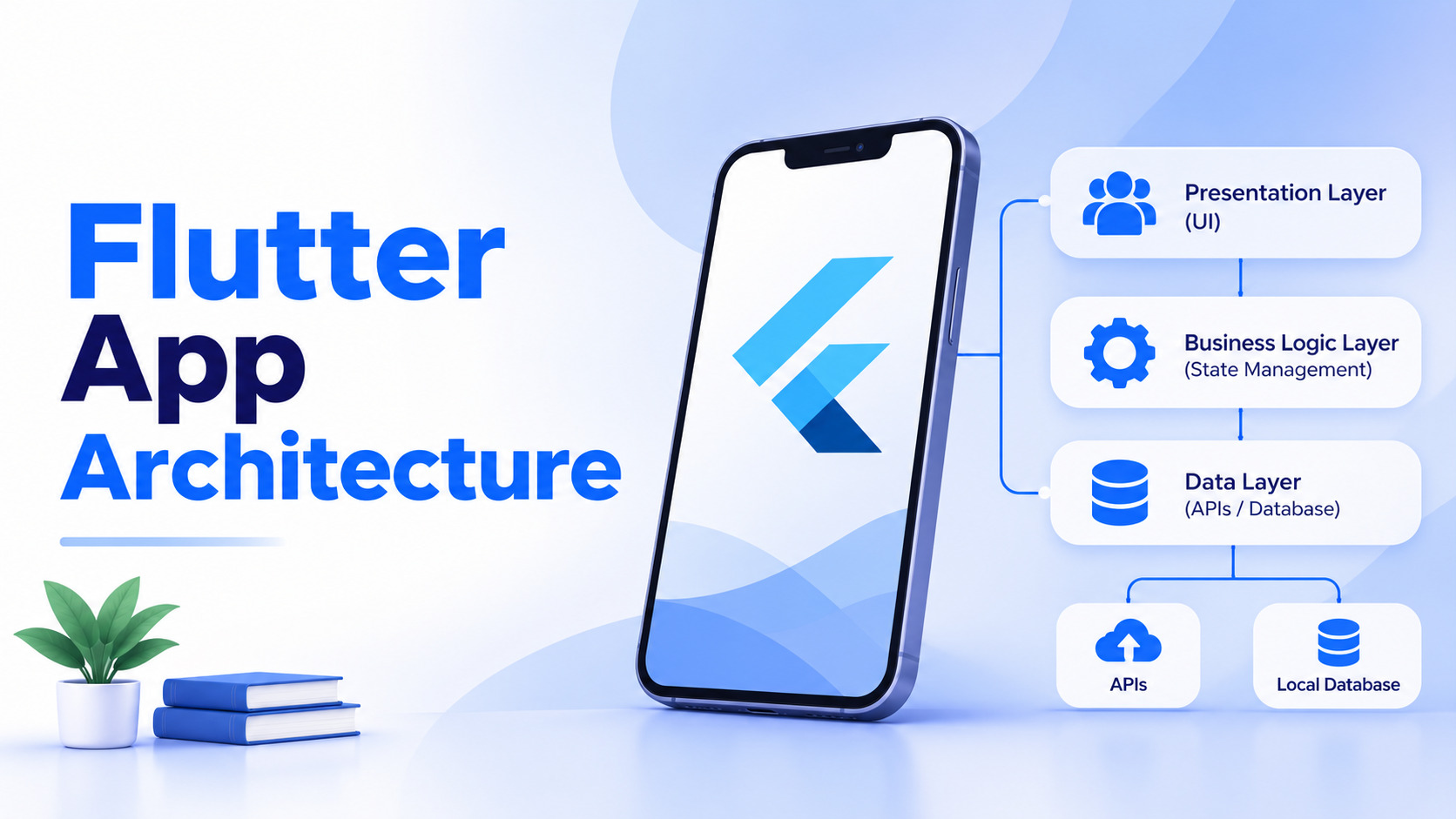
Widgets, screens, and controllers. This layer renders state and sends user intent outward. It should hold no pricing rules, no validation logic, and no knowledge of data sources.
Entities, use cases, and business rules. This is the part worth protecting, because competitors cannot copy it from your store listing. It imports nothing from Flutter and is the cheapest layer to test.
Repositories, remote and local data sources, DTOs, and caching. Repositories expose domain-friendly methods while hiding whether the answer came from REST, Firestore, or local storage. Teams with disciplined API development usually find this layer thin and predictable.
| Layer | Contains | Knows about | Should never contain |
| Presentation | Widgets, controllers, routing | Domain layer only | Business rules, API calls |
| Domain | Entities, use cases, interfaces | Nothing external | Flutter imports, SDK code |
| Data | Repositories, data sources, DTOs | Domain interfaces | UI logic, widget references |
Most teams end up choosing between four practical patterns. There is no universal winner, only a fit for team size and product complexity.
| Pattern | Best for | Strengths | Trade-offs |
| MVC | Small apps, prototypes | Simple, fast to start | Controllers bloat quickly |
| MVVM | Mid-sized apps | Clear UI and logic split | Needs a state solution anyway |
| Clean Architecture | Large, long-lived products | Highly testable, vendor-proof | Heavy boilerplate for small teams |
| Feature-first layered | Most production apps | Scales well, easy onboarding | Requires discipline on shared code |
For most commercial products, a simplified feature-first layered approach delivers the benefits of Clean Architecture without the ceremony. Teams weighing wider options often review cross-platform app frameworks before locking the pattern.
| Solution | Learning curve | Best for | Watch out for |
| Provider | Low | Small to mid apps | Context nesting gets deep |
| Riverpod | Medium | Most production apps | Several API versions in the wild |
| Bloc | Higher | Fintech, healthcare, audited flows | Verbose for simple screens |
| GetX | Low | Rapid prototypes | Mixes routing, DI, and state |
The failure mode is not picking the wrong one. It is running three of them in one repository because developers joined at different times. Pick one, write down why, and enforce it in review.
Type-first folders look tidy for ten screens. After that, adding one feature means editing six unrelated directories.
Feature-first structure keeps everything for checkout inside one folder, split into presentation, domain, and data. Shared code lives in core.
lib/
core/ # theming, errors, network client, shared widgets
features/
checkout/
presentation/
domain/
data/
orders/
presentation/
domain/
data/
main.dart
Onboarding gets faster because a new developer reads one folder instead of tracing imports across the project. Removing a dead feature becomes a single directory deletion.
Widgets should read state and emit intent. Nothing more. The moment a widget formats currency, calls an SDK, or decides discount eligibility, that rule becomes untestable and impossible to reuse.
Move it into a use case and let the widget call that instead. A useful review check is whether the widget would still compile with every network package deleted. If it would not, logic sits in the wrong place. This single habit prevents most of the rebuild chaos large Flutter teams complain about later.
Hard-coding a repository inside a controller locks that controller to one implementation permanently. Pass dependencies through constructors or a provider container instead.
The payoff appears in testing and vendor swaps. You can run the full domain layer against fake repositories with no network involved, and changing an analytics provider becomes a one-line edit in the composition root. For products expecting multiple integrations, this turns a two-week refactor into a two-hour change. Register everything in one place so dependencies stay visible.
Scattered Navigator.push calls turn deep linking into guesswork. Define routes in one place using GoRouter, and treat navigation as a function of state rather than a side effect of a tap.
Centralized routing gives you authentication guards, clean deep-link handling, and web URL support without rework. It also simplifies analytics, because screen tracking happens at the router instead of inside forty widgets. Flutter app architecture that controls routing centrally stays predictable when marketing requests campaign links months after launch.
Full widget-test coverage is expensive and brittle. Domain coverage is cheap and durable, because use cases carry no UI dependencies and run in milliseconds.
Start with rules that cost money when they break: pricing, eligibility, limits, and permissions. Add golden tests only where visual complexity is genuinely high. A practical split is high coverage on domain, moderate on data, and selective on presentation. Teams following this split spend far less time repairing tests after every design change, which is why those tests survive.
Analytics tools, payment providers, and crash reporters all get replaced eventually. Wrapping each behind your own interface means the replacement touches one file.
Define a small interface describing what your app needs, then implement it against the vendor SDK. Your features depend on the interface, never the vendor. This also makes testing straightforward, since you can supply a no-op implementation in test builds. Teams skipping this step usually discover the cost during a compliance review or a pricing change they did not control.
Decide upfront what counts as acceptable: cold start under two seconds, no frame above 16ms during scroll, and a capped image cache. Then wire DevTools checks into your release routine.
Most jank traces back to oversized rebuild scopes, unoptimized list builders, or full-resolution images in small widgets. Catching it during development is cheap. Catching it after a store review is not. Pairing this with mobile app performance optimization and cloud computing in app scalability keeps the backend from becoming the next bottleneck.
These overlap closely with broader cross-platform app development mistakes, and they quietly inflate mobile app maintenance and support costs long after launch.
| Stage | Recommended approach | Why |
| Prototype or demo | Simple MVC, Provider | Speed matters more than structure |
| MVP with real users | Feature-first, Riverpod | Cheap to extend, easy to test |
| Funded product, growing team | Layered with use cases | Supports parallel feature work |
| Enterprise or regulated | Clean Architecture, Bloc | Auditable flows, strict boundaries |
If you are still validating the idea, pairing a light architecture with MVP development keeps early costs sensible without blocking a later upgrade.
EngineerBabu builds Flutter products with architecture decided on day one and documented in an architecture decision record, not improvised in week six. Senior engineers stay attached to the project through delivery.
The team’s Flutter development services cover architecture design, state management setup, CI pipelines, test strategy, and performance budgets, alongside full mobile app development services across iOS and Android.
Teams scaling an existing product can also hire Flutter developers who are comfortable reading a layered codebase and extending it rather than rewriting it.
The best time to fix Flutter app architecture is before the second developer joins. The next best time is during your upcoming refactor window, feature by feature, starting with whatever breaks most often.
Good architecture does not make the first release faster. It makes release fifteen possible without a rewrite, which is the only measure that matters once a product has users.
Flutter’s documentation promotes separating UI from data using repositories and services, but it does not mandate one pattern. Implementation choices are deliberately left to each team.
Three works for most products. Adding more layers only helps when multiple apps share a domain or when regulatory audits demand stricter separation between concerns.
Usually not. Strict Clean Architecture adds significant boilerplate. A simplified layered structure delivers most of the testability benefits without slowing a two-person team down.
Yes, incrementally. Migrate one feature at a time behind existing interfaces. Attempting a full rewrite mid-product almost always overruns the estimate significantly.
Indirectly but meaningfully. Poor boundaries cause oversized widget rebuilds and duplicate network calls, both of which show up as jank and higher battery consumption.