AI in Mobile App Development: Use Cases and Benefits


Create engaging, high-performance mobile applications tailored to your business needs. We craft future-ready apps that offer smooth user experiences on all devices.
Build robust and scalable websites and CMS platforms that help you manage content effortlessly. Our development ensures a seamless digital presence.
Launch secure, feature-rich online stores with intuitive shopping experiences. We build tailored eCommerce platforms designed for growth.
Design captivating games with immersive gameplay and stunning graphics. From concept to launch, we build engaging experiences that players love.
Enhance your customer relationships with customized Salesforce implementations. Drive growth and efficiency with smarter CRM solutions.
Harness artificial intelligence and machine learning to automate workflows and gain actionable insights. Our AI transforms data into smart decisions.
Accelerate your software delivery lifecycle with continuous integration, delivery, and infrastructure automation to boost efficiency.

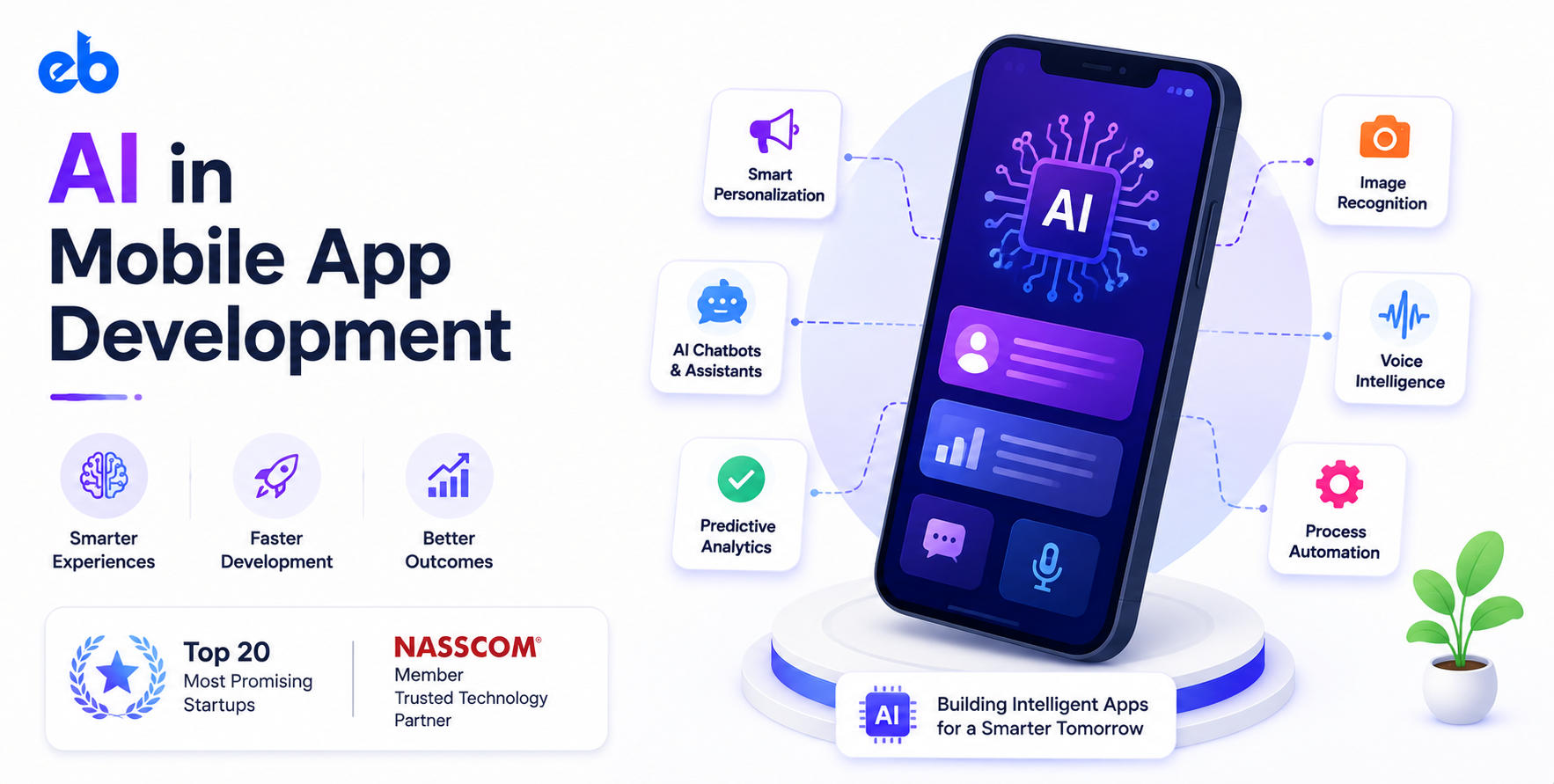
Open your phone and count how many apps guess what you want before you ask. Spotify queues the next track. Maps reroutes you around traffic that has not built up yet. Your bank flags a charge seconds after it clears.
Nobody tapped a button to make any of that happen. Those are predictions running quietly underneath the interface.
That is what AI in mobile app development looks like in production. Not a chatbot bolted onto a settings screen, but models deciding what your app shows, blocks, or ranks in the moment.
This guide covers the use cases that pay for themselves, the benefits worth measuring, and how to ship them without burning a quarter.
User expectations moved faster than most product roadmaps did. People now spend real hours inside apps that respond, adapt, and answer back.
Sensor Tower’s State of AI 2026 report projects that global time spent on generative AI apps will more than double year over year. It climbs from 17.2 billion hours in H1 2025 to 36 billion hours in H1 2026 (Sensor Tower).
That is a habit forming, not a category spiking. And habits reset expectations for every other icon on the same home screen.
So a static feed now reads as neglected. A search bar that only matches exact strings feels broken. AI in mobile app development has become the baseline your app gets judged against, not the thing that makes it special.
Skip this question and every later decision gets harder. Three pieces need to exist before a single model ships.
On-device inference wins on latency and privacy, and it keeps working offline. Cloud inference wins when the model is large or gets retrained often.
Most teams doing AI in mobile app development run both and split by feature. Serious AI development work begins with that split, not with picking a model.
These six applications of AI in mobile app development consistently return more than they cost. Each one replaces a guess with a prediction.
Ranking is the highest-leverage use case in most consumer apps. Instead of serving everyone the same catalog order, the model reorders items per user and per session.
The signals are ordinary: what someone viewed, skipped, bought, and how long they hovered. Collaborative filtering handles new users badly, so most teams pair it with content-based ranking to survive cold start.
Retail and streaming apps see the clearest lift, usually in session depth and repeat visits rather than headline conversion numbers.
Rule-based chatbots annoyed people because they answered questions nobody asked. A language model wired into your order data, help content, and account state behaves very differently.
It can cancel a booking, explain a charge, or walk someone through a failed payment without a handoff.
Most of the engineering here is retrieval and guardrails, not the model itself. Ground every answer in your own documents, and have the assistant refuse rather than improvise when confidence drops.
Money apps live or die on how quickly they catch bad behavior. Models score each transaction against device fingerprint, location, velocity, and past patterns, then approve, hold, or challenge within milliseconds.
Static rules cannot keep pace, because attackers test and adapt faster than any rules committee meets. Fraud scoring is where AI in mobile app development pays for itself fastest.
A fintech app development company now treats scoring as core infrastructure rather than an add-on. The measurable win is a lower false-positive rate, which means fewer good customers blocked at checkout.
Every phone ships with an excellent sensor, and vision models turn that sensor into an input method. Users scan a receipt, a barcode, a plant, a serial number, or a room.
Practical versions include document capture with auto-crop and OCR, visual product search, and condition checks inside field service apps.
Run these on-device wherever possible. A vision feature that waits on an upload feels slow at the exact moment users expect speed, the second the shutter fires.
Most teams discover churn only after it happens. A model watching session frequency, feature depth, and support contacts can flag risk seven to fourteen days earlier.
That window is the entire point. It buys time to trigger a nudge, an offer, or a human check-in while the user is still around. This is the quieter side of AI in mobile app development, and it protects revenue you already earned.
Custom ML development matters here, because churn patterns are specific to your product. A generic model trained on somebody else’s users will rank your accounts confidently and wrongly.
Learning apps face an obvious problem. Two users finishing the same lesson need different next steps, and a fixed curriculum serves neither well.
A model tracking response accuracy, hesitation, and repeat errors can choose that next step per learner. Spaced repetition scheduling, difficulty tuning, and automatic hint generation all fall out of the same signal set.
This is why AI in mobile app development moved through education products so fast. Leading EdTech app development companies now treat adaptive sequencing as a default, not a premium tier.
Use cases are interesting. Benefits are what your CFO asks about. The benefits of AI in mobile app development show up as five specific shifts, each with a number that proves it.
| Benefit | What changes in the product | Metric to watch |
| Higher retention | Content matches intent session by session | D7 and D30 retention |
| Lower support cost | Assistants close routine tickets end to end | Resolution rate, ticket volume |
| Faster decisions | Approvals and checks run in milliseconds | Time to decision, manual review queue |
| Better conversion | Ranking and offers adapt per user | Session depth, checkout completion |
| Compounding data advantage | Every interaction sharpens the next prediction | Model accuracy over time |
That last row gets underrated constantly. Features get copied within a quarter. A feedback loop that has been running and improving for two years does not. That gap is the strategic case for AI in mobile app development.
Four steps, in this order. Most teams approach AI in mobile app development backwards by starting with model selection, and lose six months doing it.
Do not start with a model. Start with a decision your app makes today using a rule, a default sort order, a fixed reminder time, or a manual review queue. Those are the exact spots where a prediction beats a guess immediately.
Write down the current outcome in numbers before you change anything. If you cannot state today’s baseline, you will never prove the model helped.
Keeping that first release narrow is why MVP development suits AI features so well. One decision, one model, one measurable result.
Most AI in mobile app development projects stall here, not in modeling. Check whether events are logged consistently, whether outcomes are labeled, and how far back clean history actually goes.
Twelve months of reliable event data beats three years of messy logs. Gaps hurt more than low volume, since a model learns nothing from a stretch where tracking was broken.
Fix instrumentation first. Add missing events, backfill what you can, and allow a few weeks of clean collection before training anything serious.
Latency, privacy, and model size settle this question. Choose on-device for camera work, keyboard prediction, and anything that must function offline. Choose cloud for large language models and anything retrained frequently.
Once that is decided, define the interface between app and model early. Clean API development here prevents painful refactors, because your app should never care which model version answered.
Version every endpoint. Return confidence scores alongside predictions so the client knows when to fall back.
Release to a slice of users and hold back a control group. Without one, you will credit the model for a seasonal bump or a marketing push that had nothing to do with it.
Track the metric you wrote down in step one, plus a guardrail metric such as crash rate or support volume.
Then plan retraining before launch instead of after. Model quality decays as behavior shifts, and a feature that quietly gets worse is harder to catch than one that breaks loudly.
Most teams do not need an AI lab. They need one working feature shipped inside a product that already has users.
That is the shape of our mobile app development work. Senior engineers stay on the project, and delivery runs on a CMMI Level 5 process. AI in mobile app development gets built into the product rather than demoed beside it.
Still shortlisting?
Comparing mobile app development companies on process maturity and data handling tells you more than any portfolio page.
AI in mobile app development is not one feature you add in a sprint. It is a set of decisions your app currently makes with rules, handed over to models that learn from what users actually do.
Start with the single decision costing you the most, prove the lift against a control group, then expand. Teams that pick one narrow problem beat teams that announce an AI strategy and ship nothing for two quarters.
AI can transform mobile apps, but only when it is applied to the right problems. That’s where EngineerBabu comes in.
We help businesses identify high-impact AI use cases and build scalable, intelligent mobile applications focused on measurable outcomes rather than AI for the sake of it.
It refers to embedding machine learning models inside an app so it can predict, rank, classify, or generate instead of following fixed rules. Common examples include recommendation feeds, in-app assistants, fraud scoring, and camera-based scanning.
Personalized ranking and support assistants usually pay back quickest, because both improve metrics you already track. Fraud scoring returns fastest in fintech, where a small drop in false positives translates directly into recovered revenue.
Yes, though less than most founders expect for a first feature. The bigger cost sits in data pipelines, labeling, and ongoing retraining rather than the model itself. Budget for maintenance, not just the build.
Run it on-device when latency, privacy, or offline use matter, such as camera features and keyboard prediction. Use the cloud for large language models and anything you plan to retrain often.
Roughly twelve months of consistently logged events with labeled outcomes is a workable starting point for most prediction tasks. Consistency matters more than raw volume, since tracking gaps break training more than small datasets do.
Smaller apps benefit when the feature targets one specific decision, like ranking a feed or triaging support tickets. Broad AI strategies need scale. Narrow, well-defined features do not.