Must-Have Features of an Inventory Management Software

Ever felt that sinking feeling when you realize a product is out of stock just when a customer is ready to buy it? Or maybe you have a warehouse full of items that are just gathering dust because you overordered.
Managing inventory can be tricky, and getting it wrong can cost a business big time. In fact, studies show that poor inventory management leads to nearly average annual revenue loss of $47,000.
That’s where the right inventory management software comes in. Choosing software with the right features can save hours of manual work, reduce costly mistakes, and give you a clear view of what’s really happening in your business.
In this article, we will break down the must-have features of an inventory management software and help you figure out what your business really needs.
Before you pick any software, it’s important to know what really matters. Not every inventory system is built the same, and understanding the features that actually make your life easier can save a ton of time and headaches.
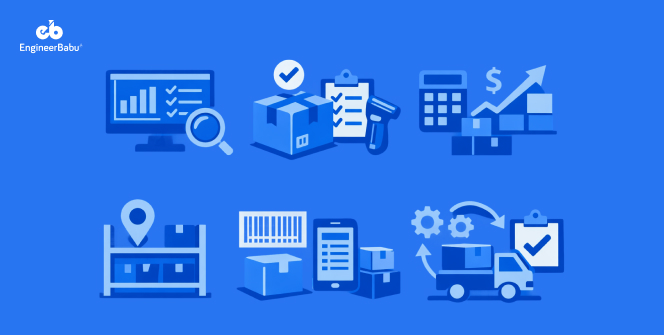
Here’s a breakdown of the features that can turn a regular inventory tool into a business game-changer.
Keeping track of your stock manually can feel like juggling blindfolded. Real-time inventory tracking lets you see exactly what’s in stock, what’s running low, and what’s moving fast. This feature reduces the chances of stockouts and overstocking, so you always have the right items available.
With accurate, up-to-date information, you can make smarter purchasing decisions and save money. This is one of the most essential features of an inventory management software because it keeps your business running smoothly.
It’s easy to forget to restock products until it’s too late. Automated reordering and alert systems take that worry off your plate. You can set minimum stock levels, and the software will notify you or even place orders automatically.
This keeps your shelves full and prevents lost sales. By using predictive restocking based on past trends, you can plan smarter without constantly checking your inventory.
For anyone running a multi-location operation, it’s one of the most practical features of an inventory management software. Managing stock across multiple warehouses or retail outlets can get messy fast.
Multi-location inventory management helps you see all your stock in one place. You can track transfers between locations, check stock levels per warehouse, and prevent misplacements.
This feature is a lifesaver if your business is growing or handling multiple supply points.
Your inventory doesn’t work in a vacuum. Integrating with tools like accounting software, ERP, or e-commerce platforms means your data stays consistent and mistakes are minimized.
You won’t have to manually update stock levels or reconcile numbers, which is a huge time saver. This feature makes your workflow seamless and ensures that your business runs smoothly from procurement to sales.
Numbers don’t lie, but they can be overwhelming if you don’t have the right tools to read them. Detailed analytics and reporting give you clear insights into your stock, sales trends, and inventory turnover.
You can see which products are moving fast and which are sitting idle. Dashboards make it easy to spot patterns and make smarter decisions. Having strong reporting is one of the most valuable features of an inventory management software because it turns raw data into actionable insights.
No one wants to spend hours learning complicated software. A user-friendly interface makes managing inventory easy, even for team members who aren’t tech-savvy. Mobile access takes it a step further, letting you update stock, scan items, and check reports on the go.
Whether you’re in the warehouse or meeting a client, you stay in control. Ease of use and mobile functionality are some of the most practical features of an inventory management software for businesses that move fast.
Not all inventory data should be shared with everyone. Security features like role-based access and audit trails keep sensitive information safe while letting your team work efficiently. You can control who can update stock, view reports, or make changes, which prevents mistakes and protects your business.
For companies of any size, these security measures are very crucial to have in an inventory management software. It gives peace of mind that your inventory data is safe and accurate.
Scalability and customization are key features of an inventory management software because they make it a long-term solution instead of a temporary fix. Your business will grow, and your software should grow with it.
Scalability allows you to handle more products, locations, or users without switching platforms. Customization ensures that workflows, fields, and reports fit your unique processes.
This way, the software works for you instead of forcing you to work around it.
Cloud-based software lets you access inventory from anywhere, with real-time updates and lower IT costs. On-premise setups give more control over data for businesses with strict security requirements.
Both options have their benefits depending on your business size and needs. Choosing the right deployment method is a feature many overlook, but it can impact efficiency and costs.
Whether you go cloud or on-premise, this feature ensures your inventory system fits your business style.
If you’re thinking about taking your inventory management to the next level, working with the right partner makes all the difference. EngineerBabu specializes in building custom software solutions that are not only reliable but also tailored to how your business actually works.
Whether it’s real-time tracking, automated reordering, or multi-location management, their team can create a system that fits your unique workflow.
With EngineerBabu, a premier inventory software development company, you get more than just software. You get a partner who understands your challenges, integrates with your existing tools, and ensures your inventory is always under control.
Their solutions are scalable, secure, and easy to use, helping you save time and reduce errors. If managing stock has ever felt stressful, EngineerBabu makes it simple and efficient.
Managing inventory doesn’t have to be a headache. By choosing software with the right features, you can keep track of stock in real time, automate reordering, manage multiple locations, and make smarter business decisions.
From analytics to mobile access and security, the features we discussed can make your day-to-day operations smoother and your business more profitable.
And if you want a system built specifically for your workflow, EngineerBabu can help you design an inventory management solution that truly fits your needs.
The essentials include real-time tracking, automated reordering, multi-location management, analytics and reporting, mobile access, security controls, and scalability. These features help prevent stockouts, reduce errors, and make inventory management more efficient.
Inventory software reduces manual tracking, provides accurate stock data, automates alerts, and integrates with other systems like ERP or e-commerce platforms. This saves time, prevents mistakes, and ensures you always have the right stock available.
Absolutely. Modern inventory software is scalable and customizable, so even small businesses can benefit from features like real-time tracking, automated alerts, and mobile access without a huge investment.
Cloud-based software is ideal for real-time updates, remote access, and lower IT costs. On-premise can be better if you need strict data control. The choice depends on your business size, security requirements, and workflow preferences.
EngineerBabu offers tailored inventory management software built for your business. They focus on scalability, integration, security, and ease of use, helping you reduce errors, save time, and make smarter stock decisions.