Barcode Inventory System Development: Setup & Integration Guide

Managing inventory can be tricky, especially when relying on manual tracking. Items get misplaced, stock counts don’t match, and valuable time is wasted on repetitive tasks.
According to recent industry data, the average inventory accuracy for many retailers is only around 63% only when tracked without automated systems.
Barcode Inventory System Development provides a practical solution by automating stock tracking and simplifying updates. With a well-implemented barcode system, businesses can reduce errors, improve efficiency, and save time on routine inventory tasks.
This guide will cover everything from the basics of barcode systems to choosing the right tech stack for seamless integration, offering a clear roadmap for more accurate and streamlined inventory management.
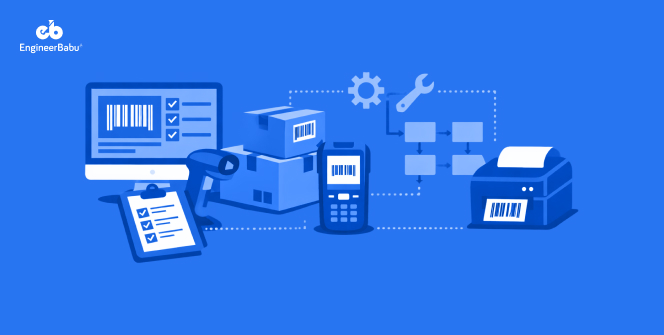
A barcode inventory system is a method of tracking products, materials, or assets using barcodes and scanners connected to software.
At its core, it combines barcode labels, scanning devices, and a digital database to record and manage stock efficiently. Barcodes can be simple one-dimensional lines or two-dimensional QR codes, depending on the level of information needed.
The main advantage of such a system is accuracy. Manual counting can lead to errors, misplaced items, and wasted time, but scanning a barcode instantly updates the inventory in real-time.
It also provides actionable insights into stock levels, movement patterns, and reorder needs, which helps businesses plan better.
Implementing a barcode system doesn’t have to be complicated. With the right setup, even small businesses can benefit from automated tracking. For businesses exploring automation, integrating with services like API Development can make data transfer between systems seamless.
Implementing a barcode system can transform the way businesses manage inventory. From saving time to improving accuracy, the benefits are tangible and often immediate. Here are some of the main advantages businesses experience when investing in Barcode Inventory System Development.
Manual stock tracking is prone to mistakes, from miscounted items to lost records. A barcode inventory system drastically reduces these errors by automating data entry. Every scan updates the system in real time, helping businesses maintain consistent and reliable inventory levels without the headache of constant double-checking.
With a barcode system, you can see stock levels and movement as it happens. Real-time updates make it easier to anticipate shortages, plan orders, and streamline operations. Businesses using Barcode Inventory System Development benefit from accurate reports without waiting for end-of-day reconciliations or manual audits.
Time spent on manual counts and corrections adds up quickly. Barcode systems save hours by speeding up check-ins, check-outs, and audits. Over time, this efficiency translates into cost savings, letting teams focus on more strategic work rather than chasing inventory discrepancies.
A barcode inventory system grows with your business. Whether adding new products, warehouses, or sales channels, the system can handle increasing complexity without slowing down operations.
Barcode Inventory System Development makes scaling easier, ensuring accurate stock management and seamless integration as the business expands. This flexibility helps prevent bottlenecks and supports long-term growth efficiently.
The right combination of backend, frontend, mobile, and integration tools ensures smooth operation, real-time updates, and scalability. Here’s a breakdown of the technologies commonly used to build an effective barcode inventory system.
A solid backend is the foundation of any barcode system. Node.js Development Services, for instance, offer a fast, event-driven environment that handles multiple barcode scans and inventory updates efficiently.
Pairing it with databases like MongoDB or PostgreSQL ensures secure storage and quick retrieval of stock data. A well-structured backend reduces errors and keeps your system reliable even under heavy usage.
The frontend defines how easily staff can interact with the system. Frameworks like React or Angular provide responsive interfaces for desktop use, while Mobile App Development allows real-time scanning and updates on the go.
Offline capabilities ensure inventory tracking never stops, even in areas with poor connectivity, making daily operations smoother.
Connecting your barcode system to other platforms like ERP or accounting software is crucial. API Development ensures seamless data transfer, synchronization, and reporting. This integration reduces manual work, prevents discrepancies, and keeps all systems aligned, making inventory management more efficient and less error-prone.
For businesses looking to optimize inventory further, incorporating AI Development Services can help predict trends, track demand patterns, and automate reordering. These technologies provide insights that go beyond simple stock tracking, turning your barcode system into a smart decision-making tool.
Implementing a barcode inventory system can seem overwhelming at first, but breaking it down into clear steps makes the process manageable. Following a structured approach ensures accuracy, efficiency, and smooth integration with existing operations. Here’s a step-by-step guide to get started.
Start by choosing the right barcode scanners, printers, and labels for your inventory. Scanners can be handheld, stationary, or mobile-based depending on workflow needs. Label quality matters too, as damaged or unclear barcodes can cause errors. Properly setting up hardware ensures that scanning is fast, reliable, and reduces future maintenance issues.
Install the inventory management software that will read and track barcode data. This includes configuring the database, setting up user permissions, and ensuring the system can handle your inventory volume. Selecting the right software platform, whether desktop or cloud-based, is critical for smooth Barcode Inventory System Development.
Generate and print barcodes for each product or asset. Ensure each label is unique and readable by your scanners. Organize items logically within the system to make scanning straightforward. This step forms the backbone of automated inventory tracking, reducing errors and manual entry.
Connect your barcode system with existing ERP, accounting, or sales systems using APIs if needed. Test the setup thoroughly: scan products, update stock, and check reports to confirm accuracy. Address any issues before full deployment to ensure a seamless workflow.
Train employees on scanning procedures, handling exceptions, and using the software dashboard. A well-trained team is essential for consistent data entry and inventory accuracy. Once confident, fully implement the system and monitor performance closely during the first few weeks.
Even with a barcode inventory system, businesses may face some hurdles during setup and daily operations. Being aware of common challenges and knowing how to troubleshoot them can save time and prevent disruptions. Here are some issues that often arise and tips to address them.
Poor-quality labels, damaged barcodes, or low-quality scanners can lead to missed scans and incorrect inventory counts. Regularly checking scanner calibration and using durable labels reduces errors. For mobile-based scanning, leveraging Mobile App Development services ensures the app can read barcodes accurately in various lighting and conditions.
Sometimes the inventory software may not communicate well with existing ERP or accounting systems. Ensuring your software stack supports standard APIs and updating to compatible versions can prevent data conflicts. Testing all integrations before full deployment is key to smooth operations.
When connecting multiple systems, duplicate entries or missed updates can occur. Clear mapping of data fields, routine audits, and automated error alerts help catch inconsistencies early. Maintaining a single source of truth in the database prevents long-term issues.
Cloud-based or mobile systems rely on stable internet connections. Poor connectivity can slow down updates or cause synchronization delays. Implementing offline scanning capabilities and regular data backups ensures inventory tracking continues even during network interruptions.
Implementing a barcode inventory system can be challenging without the right expertise. That’s where engineerbabu comes in. They specialize in creating reliable, scalable solutions tailored to your business needs.
Whether you are upgrading an existing setup or building from scratch, their team ensures seamless integration, real-time tracking, and user-friendly design.
For businesses looking for a complete solution, Inventory management software development at engineerbabu provides both the backend and frontend interfaces needed for smooth daily operations.
Their experience in Mobile App, Software Development and API integration ensures your inventory system works flawlessly across platforms.
Partnering with an expert team reduces errors, saves time, and lets your staff focus on more strategic tasks rather than manual stock tracking.
Implementing a Barcode Inventory System Development solution can dramatically simplify how businesses manage stock, reduce errors, and save time. From hardware setup to software integration and mobile scanning, a structured approach ensures smooth operations and accurate reporting.
With the right tech stack and expert support, businesses can streamline workflows, scale efficiently, and make data-driven decisions without the constant headache of manual inventory management.
Costs vary depending on the number of items, hardware requirements, and whether a custom or off-the-shelf solution is chosen. Integrating mobile scanning and API connectivity can affect pricing but adds long-term efficiency.
Yes, most modern inventory systems can integrate with ERP, accounting, or e-commerce platforms through APIs, ensuring data is synchronized and accurate across all tools.
It depends on your products and tracking needs. 1D barcodes are simpler and work for basic inventory, while 2D or QR codes store more information and are ideal for complex operations.
Implementation time varies by business size and complexity but generally ranges from a few weeks for small setups to several months for larger enterprises with multiple integrations.