Website and Mobile Application Development


Create engaging, high-performance mobile applications tailored to your business needs. We craft future-ready apps that offer smooth user experiences on all devices.
Build robust and scalable websites and CMS platforms that help you manage content effortlessly. Our development ensures a seamless digital presence.
Launch secure, feature-rich online stores with intuitive shopping experiences. We build tailored eCommerce platforms designed for growth.
Design captivating games with immersive gameplay and stunning graphics. From concept to launch, we build engaging experiences that players love.
Enhance your customer relationships with customized Salesforce implementations. Drive growth and efficiency with smarter CRM solutions.
Harness artificial intelligence and machine learning to automate workflows and gain actionable insights. Our AI transforms data into smart decisions.
Accelerate your software delivery lifecycle with continuous integration, delivery, and infrastructure automation to boost efficiency.
In 2026, launching a digital product means navigating one of the most common strategic questions in tech: should you build a website, a mobile app, or both? Understanding the intricacies of Website and Mobile Application Development is crucial. Website and Mobile Application Development is not only about functionality; it encompasses design, user experience, and ensuring your product meets market needs.
The answer isn’t one-size-fits-all, but there’s a pattern that works for most businesses. With over 6.5 billion smartphone users worldwide, mobile is undeniably massive. Yet every connected device—whether it’s a phone, tablet, laptop, or desktop—still has a browser. This reality shapes a practical starting point for most projects. Creating applications today means designing and building digital experiences tailored to user needs, whether for web or mobile platforms.
The significance of Website and Mobile Application Development has never been more pronounced as businesses pivot towards digital-first strategies. By focusing on both web and mobile platforms, companies can effectively capture a wider audience and enhance user engagement.
What you will learn
Let’s address the fundamental question before diving into technical details: should you build a website, a mobile app, or both?
For most businesses, the pragmatic answer is to start with a responsive website and add mobile applications later. Websites offer universal accessibility through web browsers, lower development costs, faster time-to-market, and immediate discoverability through search engines. Mobile apps, on the other hand, deliver superior performance for complex interactions, offline capabilities, push notifications, and deeper access to device capabilities like cameras, GPS, and biometric authentication. The approach to Website and Mobile Application Development must therefore be strategic.
In the realm of Website and Mobile Application Development, it’s vital to understand your target audience’s preferences and behaviors. This knowledge guides the decision-making process, ensuring your strategy aligns with user expectations.
Consider two contrasting examples. A local restaurant in London launching its digital presence should almost certainly start with a mobile-friendly website. Customers need to find the menu, check opening hours, and make reservations—all tasks perfectly suited to web browsers. The restaurant gains immediate visibility on Google, avoids app store approval processes, and can update content instantly. When comparing web app development and mobile app development, it’s important to consider factors such as development costs, ongoing maintenance, and responsiveness.
Web development is generally more cost-effective due to its cross-browser compatibility and the ability to maintain a single codebase. Additionally, mobile web development is increasingly important as the widespread use of smartphones means more users access services via mobile browsers. In contrast, a fintech startup in Berlin building a trading platform needs native apps from day one. Their users require biometric login via Face ID or fingerprint, real-time push notifications for price alerts, and the smooth, responsive user interface that native development provides. This highlights the importance of effective Website and Mobile Application Development.
The journey of Website and Mobile Application Development requires a strategic approach that balances user needs with technical capabilities. This balance is key to delivering successful products in a competitive landscape.
Here’s a practical rule of thumb: if discoverability and budget are your primary constraints, start with a website first. If user engagement and deep integration with device features are critical to your core value proposition, invest in a native or cross-platform app as soon as you’ve validated demand through your web presence or market research.
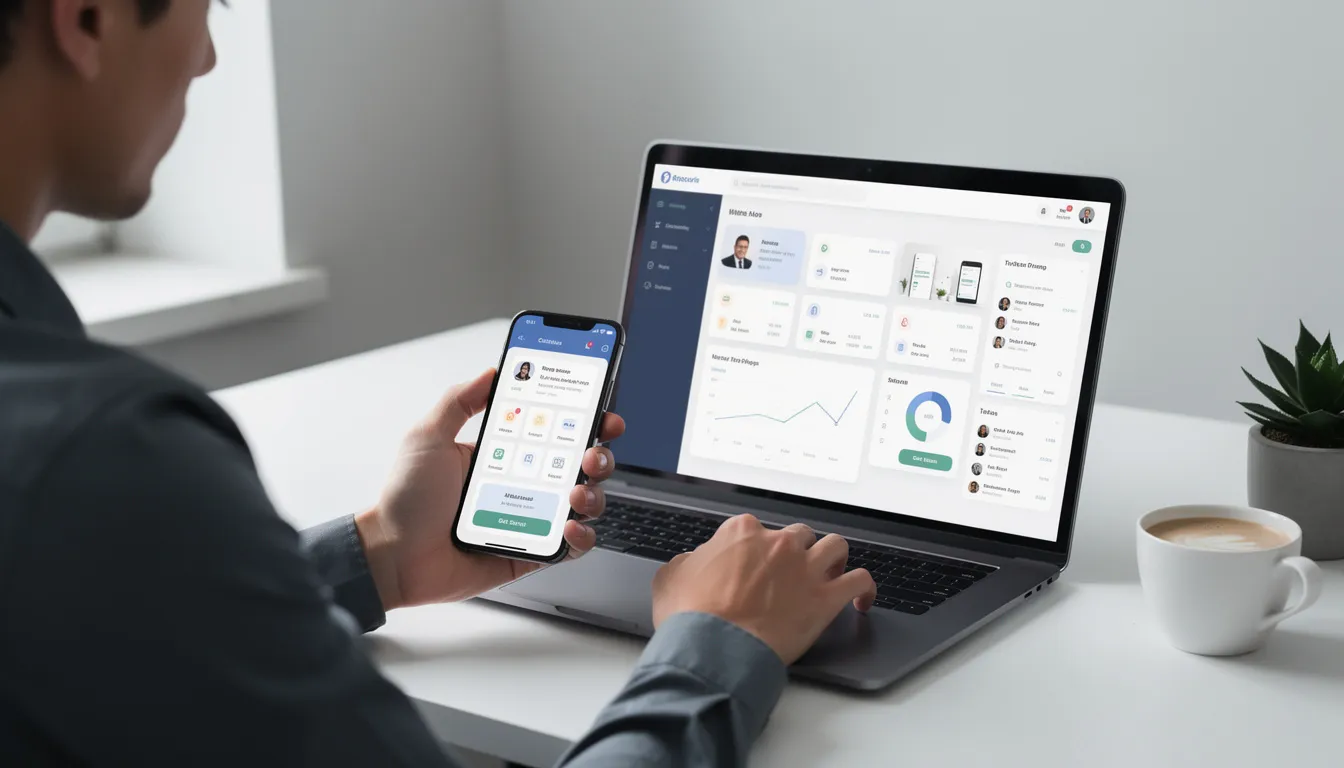
Website development is the process of building browser-based experiences using programming languages and markup languages, such as HTML, along with CSS and JavaScript. These three technologies form the foundation of every site you visit, whether you’re on a desktop, tablet, or phone.
Web development primarily utilizes HTML, CSS, and JavaScript, while mobile development uses platform-specific languages such as Swift and Kotlin. In 2025, web development has matured to the point where most new websites are responsive by default, automatically adapting their layouts to work across Chrome, Safari, Firefox, and Edge on Windows, macOS, Android, and iOS.
The three pillars of modern web development are structure, presentation, and behavior. HTML5 provides the semantic structure—headings, paragraphs, forms, and media elements. CSS handles presentation, controlling layout, typography, colors, and animations through powerful systems like Flexbox and CSS Grid. JavaScript (increasingly TypeScript) implements interactivity, handling everything from form validation to complex single-page application logic.
Common technology stacks vary based on project requirements. Static sites often use frameworks like Next.js or Nuxt for performance and SEO benefits. Traditional dynamic sites might run on LAMP stacks (Linux, Apache, MySQL, PHP) powering platforms like WordPress. Full-stack JavaScript applications combine Node.js backends with React, Vue, or Angular frontends.
Beyond functionality, modern web developers prioritize three core quality attributes: accessibility (following WCAG 2.2 guidelines to ensure usability for people with disabilities), SEO (structuring content for search engine visibility), and performance (optimizing load times for user experience and search rankings).
Front-end web development encompasses everything visitors see and interact with in their browsers. This includes navigation menus, hero sections, forms, product cards, dashboards—essentially the entire user interface rendered on screen.
Responsive web design is the standard approach for ensuring websites work across different devices. Using CSS3 media queries, web developers create layouts that adapt smoothly from 320-pixel mobile screens to 1440+ pixel desktop displays. It is crucial to consider different screen resolutions, including high-density Retina displays and various orientations, to ensure compatibility and optimal user experience across all devices. Frameworks like Bootstrap 5 and Tailwind CSS have become essential tools in 2025, providing pre-built responsive components and utility classes that accelerate development.
Effective front-end development follows mobile-first principles. This means designing for the smallest screens first, then progressively enhancing the experience for larger devices. Key UI/UX considerations include touch targets of at least 44×44 pixels for mobile users, readable typography that scales appropriately, and dark-mode support that respects user preferences.
Modern web apps typically use component-based frameworks. React and Vue allow developers to build reusable UI elements—a product card component, for instance, that displays consistently across an e-commerce site. These frameworks handle complex state management and routing, turning traditional websites into interactive web applications.
Quality assurance relies on tools like Chrome DevTools for inspecting layouts and debugging issues, plus Lighthouse for measuring Core Web Vitals including Largest Contentful Paint (LCP), Cumulative Layout Shift (CLS), and Interaction to Next Paint (INP). These metrics directly impact both user experience and search engine rankings.
Back-end web development covers the server-side logic, databases, and APIs that power dynamic websites and web applications. While users never see this layer directly, it handles everything from user authentication to payment processing to content management.
In 2025, several technology stacks dominate back-end development. Node.js with Express remains popular for JavaScript-centric teams. Python with Django or FastAPI serves data-heavy applications and machine learning integrations well. Ruby on Rails continues to power startups valuing rapid development. Enterprise applications often run on .NET 8, particularly in organizations with existing Microsoft infrastructure.
Databases fall into two main categories. Relational databases like PostgreSQL and MySQL excel at structured data with complex relationships—think user accounts, orders, and inventory. NoSQL options like MongoDB handle flexible, document-based data. Cloud-native databases such as Amazon Aurora and Google Cloud Firestore offer managed scalability for growing applications.
Communication between browser and server happens through APIs. REST APIs, organized around resources and HTTP methods (GET, POST, PUT, DELETE), remain the standard for most web application development. GraphQL provides an alternative that lets clients request exactly the data they need in a single query, reducing over-fetching and improving mobile performance.
Security fundamentals are non-negotiable. HTTPS is now default for all production sites. Authentication typically uses OAuth 2.0 or OpenID Connect protocols, often implemented through JWTs (JSON Web Tokens). Regular security updates, input validation, and protection against common vulnerabilities like SQL injection and cross-site scripting are essential practices. For projects requiring expertise in modern JavaScript frameworks, consider hiring dedicated ReactJS developers to ensure both robust security and high-quality user experiences.
Mobile application development is an integral part of the broader Website and Mobile Application Development sphere. Companies that invest in mobile solutions often see higher user satisfaction and retention rates, underscoring the importance of this development path.
Mobile application development is the process of creating software designed specifically for smartphones and tablets. Unlike websites accessed through browsers, mobile apps are installed on devices, can function offline, interact directly with hardware like cameras and sensors, and are distributed primarily through app stores. Mobile application development is rapidly growing across industries such as retail, telecommunications, and healthcare.
Understanding the mobile platform landscape is essential for strategic planning. In 2025, Android holds roughly 70-72% of global smartphone market share, while iOS claims 27-29%. However, these numbers shift dramatically by region—iOS dominates in the United States, UK, Japan, and parts of Western Europe, while Android leads in Asia, Africa, and South America. Android development typically uses Java and Kotlin as the primary programming languages for creating Android applications. Your target audience’s geographic and demographic profile should inform platform priorities.
A mobile app developer is responsible for creating and supporting mobile applications, often facing the challenge of developing for multiple platforms, devices, and browsers to ensure a seamless user experience across mobile devices.
Mobile applications span diverse categories, each with distinct technical requirements. Transactional apps like banking and investment platforms demand high security, real-time data, and biometric authentication. Content apps for news and streaming prioritize media delivery and offline reading. Utility apps including fitness trackers and note-taking tools rely on device sensors and local storage. On-demand apps for ride-hailing and food delivery require real-time location tracking, mapping, and push notifications. The programming and markup languages used for mobile application development include Java, Swift, C#, and HTML5.
Successful mobile development requires testing on real devices, not just simulators. The Android operating system fragments across versions 12 through 15 with varying capabilities, while mobile applications developed for iOS have far fewer devices to support, making optimization simpler. iOS versions 16 through 18 each introduce features that apps may need to support or gracefully degrade. App store review processes—particularly Apple’s rigorous guidelines—add time and uncertainty to release cycles that don’t exist in web development.
Native mobile applications are written in the programming language and frameworks provided by the platform owner and run directly on the operating system of the device. Cross-platform mobile applications can be written in a variety of programming languages and frameworks but are compiled into a native application running directly on the device’s operating system. Hybrid mobile applications are built with standard web technologies such as JavaScript, CSS, and HTML5, and are bundled as app installation packages.
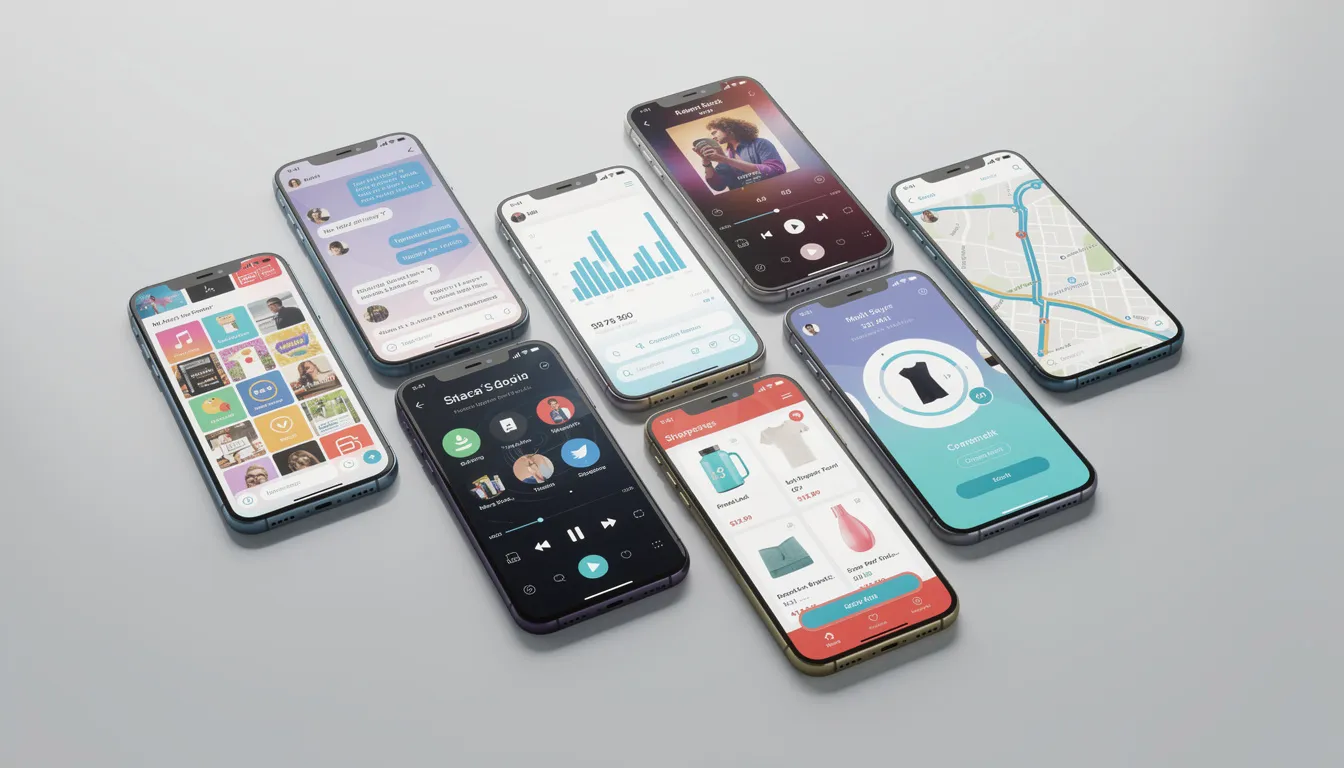
When choosing between mobile platforms, understanding the nuances of Website and Mobile Application Development can inform decisions that lead to more effective solutions. This knowledge helps in tailoring apps to meet diverse user needs.
Mobile development decisions are shaped by two primary factors: which platforms you’re targeting (Android, iOS, or both) and which development approach best fits your constraints. It’s important to consider building your own set of apps tailored to different platforms and user needs, as each platform may require a unique approach. Additionally, building applications for a specific platform, such as iOS or Android, can maximize performance and device integration by leveraging native development. The four main approaches—native, cross-platform, hybrid, and progressive web apps—each offer distinct trade-offs.
Choosing among these approaches depends on your budget, required performance characteristics, time-to-market pressures, your team’s existing skills, and how deeply your app needs to integrate with hardware features. A real-time trading app with complex charts and biometric security has very different requirements than a content-browsing app with standard navigation patterns.
Official development tools have matured significantly. Android Studio provides the complete development environment for Android, including emulators, debugging tools, and publishing workflows. Xcode serves the same purpose for iOS development, tightly integrated with Apple’s ecosystem. Both toolchains received substantial updates in 2024-2025, improving developer productivity and app performance.
The following subsections break down each development approach with practical guidance for product owners and business stakeholders evaluating options.
Native apps are platform-specific applications built using official languages and SDKs. For Android, this means Kotlin (or legacy Java) with Android Studio, using modern UI frameworks like Jetpack Compose. On the other hand, iOS developers use Swift (or legacy Objective-C) with Xcode, building interfaces with SwiftUI or UIKit.
Native development delivers the highest performance and smoothest animations because code compiles directly to machine instructions optimized for each mobile platform. Native apps have unrestricted access to device capabilities—cameras, GPS, Bluetooth, NFC, motion sensors, AR frameworks (ARKit on iOS, ARCore on Android), and secure hardware elements like Apple’s Secure Enclave for cryptographic operations.
Real-world examples illustrate where native development shines. Banking apps requiring Face ID, Touch ID, or fingerprint authentication need native implementation for proper security integration. High-end games demanding 60fps graphics and complex physics benefit from native performance. IKEA’s furniture preview app uses ARKit to render 3D furniture in your living space—functionality that requires deep platform integration.
The trade-offs are significant. Native app development requires two separate codebases, two specialized development teams (or developers skilled in both platforms), and roughly double the maintenance effort. Initial costs run higher than alternatives, and development timelines extend accordingly.
Native development makes strategic sense for fintech and healthcare applications where security is paramount, large consumer platforms where user experience directly impacts revenue, and any product where performance or hardware integration defines the core value proposition.
Cross-platform apps share most code across iOS and Android while still delivering near-native experiences. The leading frameworks in 2025 are React Native (using JavaScript or TypeScript) and Flutter (using Dart), with .NET MAUI serving organizations invested in the Microsoft ecosystem.
React Native, created by Meta, lets mobile and web developers leverage their JavaScript skills to build mobile applications. The framework uses a bridge architecture that translates JavaScript components into native UI elements. Flutter, developed by Google, takes a different approach—its rendering engine draws UI directly to the screen at 60 or 120fps, bypassing native UI components entirely for pixel-perfect consistency across platforms.
Cross platform frameworks offer compelling advantages. A single codebase reduces development time and cost by 30-40% compared to dual native development. Teams can share code between mobile and web apps, further improving efficiency. For typical business applications—e-commerce platforms, social apps, booking systems, internal enterprise tools—cross-platform performance is indistinguishable from native for most users.
Limitations exist, however. Abstraction layers can introduce subtle bugs or performance overhead in edge cases. When Apple or Google releases new platform features, cross platform frameworks typically lag weeks or months behind native support. Complex integrations requiring custom native modules—specialized Bluetooth protocols, for instance—may require platform-specific code that reduces the cross-platform benefit.
Cross-platform development is ideal for startups validating product-market fit, internal enterprise applications where development speed matters more than maximum polish, and content-driven apps with standard UI patterns that don’t push hardware boundaries.
Hybrid apps are web applications packaged inside native containers. Technologies like Apache Cordova and Ionic Capacitor let developers build apps using HTML, CSS, and JavaScript, then wrap them in native shells for distribution through app stores.
The user interface in hybrid apps renders inside an embedded WebView—essentially a browser window without the URL bar. Plugins bridge the gap between JavaScript and native device APIs, enabling access to cameras, GPS, file storage, and other hardware features. This approach lets mobile and web developers reuse significant portions of their web codebase.
Hybrid development suits specific use cases well. Content-heavy apps like news readers or documentation portals work smoothly because they’re fundamentally presenting web content. Simple catalog apps or informational tools that don’t require complex interactions translate well to hybrid architecture. Companies with existing responsive websites can quickly create mobile apps that share design and logic.
Trade-offs are notable. Performance never quite matches native or modern cross-platform solutions—scrolling can feel less smooth, animations may drop frames, and interactions can have perceptible latency. The “native feel” users expect from polished apps is harder to achieve. You’re also dependent on WebView capabilities and behaviors, which vary between Android and iOS versions.
Hybrid apps often work best as stepping stones—proving mobile demand before investing in native or cross-platform rebuilds. For large-scale consumer products requiring the desired user experience, other approaches typically prove more suitable.
Progressive Web Applications are websites enhanced with modern browser technologies to behave like installable apps. Using Service Workers for offline caching, Web App Manifests for home screen installation, and various browser APIs, PWAs bridge the gap between web and native.
PWA capabilities have expanded significantly. Offline caching lets news sites work without connectivity—perfect for commuters in subway tunnels. Add-to-home-screen functionality puts PWAs alongside native apps on Android devices and desktop platforms. Background sync keeps data current when connectivity returns. Push notifications (on supported platforms) enable re-engagement just like native apps.
Real examples demonstrate PWA potential. Major news portals use PWAs to deliver fast, app-like reading experiences without app store friction. E-learning platforms cache course content for offline study. SaaS dashboards offer installable experiences that feel native while maintaining a single codebase with web deployments.
Platform support varies meaningfully. Chrome and Edge on Android and desktop provide robust PWA support. iOS Safari has historically lagged, though iOS 17 and 18 improved push notification support and home screen behavior. Cross browser compatibility testing remains important because PWA features degrade gracefully rather than failing completely on less-capable browsers.
PWAs offer cost-effective solutions for businesses prioritizing broad reach, fast iteration, and reduced app store dependency. They complement rather than replace native apps for many organizations—handling lighter use cases while native apps serve power users.
Choosing between native, cross-platform, hybrid, PWA, and traditional website development requires evaluating trade-offs across multiple dimensions. There are key differences among these approaches that impact usability, platform compatibility, and development considerations, making it essential to understand how each option aligns with your specific needs. Understanding these trade-offs helps match technology decisions to business requirements rather than defaulting to trends or preferences.
Performance separates native apps from alternatives most clearly. Native mobile apps deliver the best frame rates, most responsive interactions, and smoothest animations because they compile to optimized platform-specific code. Cross-platform frameworks like Flutter and React Native approach native performance for typical business apps, though compute-intensive applications or complex animations may show differences. Hybrid apps and PWAs, running through web technologies, can feel less responsive during complex interactions. For a real-time trading platform processing streaming data and rendering live charts, native development justifies its cost. For a news blog, a well-optimized PWA delivers an excellent interactive experience at a fraction of the investment.
Cost and time-to-market strongly favor shared codebases. Native development requires two teams or skill sets, roughly doubling initial investment and ongoing maintenance. Cross-platform development reduces this by 30-40% for typical projects. Hybrid and PWA approaches can be even more cost-effective, especially when leveraging existing web development skills and codebases. A marketplace MVP validating product-market fit benefits from cross-platform efficiency. A content library serving primarily discovery-oriented users may need only a responsive website with PWA enhancements.
Offline support and device capabilities tilt decisions toward mobile apps for certain use cases. Native apps offer unrestricted access to sensors, secure storage, background processing, and platform-specific features like Apple Pay integration or Android widgets. PWAs provide basic offline caching and limited device access. Traditional websites require connectivity. If your product’s core value depends on working offline in remote locations or requires deep hardware integration, you need a mobile app, not just a web presence.
Operational considerations extend beyond initial development. Native apps require updates submitted through app store review processes—sometimes taking days for approval. Two native codebases mean testing and maintaining twice as much code. OS updates from Apple and Google can break functionality, requiring immediate developer attention. Websites and PWAs update instantly on deployment, with changes available to all users immediately. Managing development resources across multiple platforms demands careful coordination, clear API contracts, and robust testing practices.
Whether building applications for web or mobile, successful projects follow similar phases: discovery, design, development, testing, deployment, and continuous improvement. Understanding this lifecycle helps set realistic expectations and avoid common pitfalls.
Requirements gathering translates business goals into actionable specifications. This typically involves stakeholder interviews to understand objectives, competitor analysis to identify market standards and opportunities, user research to validate assumptions, and user story creation that captures features from the user’s perspective. Defining measurable KPIs—sign-up rates, conversion percentages, retention metrics—provides targets for evaluating success.
Agile delivery has become standard practice for software development. Teams work in 1-2 week sprints, delivering incremental functionality and demonstrating progress regularly. Issue tracking in tools like Jira, Linear, or Azure DevOps maintains visibility. Continuous integration pipelines automatically build, test, and validate code with each change, catching issues before they compound.
Deployment differs significantly between web and mobile. Web apps push to servers or CDNs, with changes live within minutes of merging code. Mobile apps require building platform-specific packages, submitting to Apple’s App Store and Google Play, and awaiting review. Apple reviews typically take 24-48 hours but can extend during busy periods or if issues arise. Google Play reviews usually complete in hours to a day. This difference impacts release planning—web teams can deploy daily hotfixes while mobile teams batch changes into periodic releases.
Post-launch monitoring is essential for both platforms. Google Analytics 4 tracks user behavior across web and mobile. Firebase Analytics provides mobile-specific insights. Crash reporting platforms like Firebase Crashlytics and Sentry capture errors, stack traces, and device information needed for debugging production issues. User engagement patterns, retention curves, and funnel metrics guide ongoing development priorities.
In the rapidly evolving field of Website and Mobile Application Development, staying ahead means continually optimizing your apps for performance and user engagement. Regular updates and improvements are crucial for maintaining relevance.
Understanding how responsibilities divide across roles helps non-technical stakeholders navigate team structures and communication patterns. Web front-end development and mobile app clients share conceptual parallels—both focus on user interface and interaction logic, consuming data from shared backend APIs.
Typical teams include several specialized roles. Product owners define requirements and prioritize features. UX/UI designers create user flows, wireframes, and visual designs. Front-end web developers build browser-based interfaces. Mobile app developers create iOS and Android clients. Back-end engineers implement server logic, databases, and APIs. QA testers validate functionality across platforms and devices. DevOps engineers manage infrastructure, deployment pipelines, and monitoring.
Front-end work (web and mobile) focuses on implementing designs, handling user interactions, managing client-side state, and ensuring responsive layouts that adapt to screen sizes. Back-end work handles authentication, business logic, data validation, storage, and integration with third-party services. This separation allows specialists to work efficiently while APIs provide clear contracts between layers.
Effective collaboration practices include shared design systems maintained in Figma, ensuring visual consistency across platforms. API contracts documented via OpenAPI/Swagger specifications let mobile and web developers work in parallel before backends are complete. Regular cross-team syncs catch integration issues early. These practices ensure users receive consistent experiences whether accessing your product through mobile browsers, desktop browsers, Android apps, or iOS apps.
Both websites and mobile applications typically access data through APIs rather than connecting directly to databases. This separation provides security, flexibility, and the ability to serve multiple clients from a single backend.
REST APIs remain the dominant pattern, organizing operations around resources (users, products, orders) and HTTP methods (GET for reading, POST for creating, PUT for updating, DELETE for removing). GraphQL offers an alternative where clients specify exactly which fields they need, reducing payload sizes and round-trips—particularly valuable for mobile devices on cellular networks.
Cloud providers dominate modern backend infrastructure. AWS, Azure, and Google Cloud offer compute, storage, databases, and numerous managed services. Backend-as-a-service platforms like Firebase and Supabase accelerate development by providing authentication, real-time databases, file storage, and serverless functions out of the box. These platforms let small teams build sophisticated applications without managing server infrastructure.
Cloud based services provide operational benefits that manual infrastructure cannot match. Elastic scaling handles traffic spikes automatically—critical for e commerce during sales events or new features going viral. Managed databases handle backups, updates, and failover. Built-in authentication saves weeks of security-critical development. Simplified DevOps lets developers focus on application logic rather than server maintenance.
Secure API design protects user data. Token-based authentication using JWTs (JSON Web Tokens) validates requests without session state. Rate limiting prevents abuse. Encryption in transit (TLS) and at rest (database and storage encryption) protects data sources. An online store serving Android, iOS, and web clients shares a single catalog API, implementing security once rather than three times.
User experience consistency across your website and mobile applications builds brand trust and improves conversions. Users who encounter your product on the web expect similar patterns, terminology, and visual language in your apps—and vice versa.
Design systems provide the foundation for cross-platform consistency. A comprehensive design system covers colors, typography scales, icon sets, spacing rules, and reusable components. Teams typically maintain these systems in Figma or Sketch, with implementation guides for web developers and mobile developers. In 2025, mature design systems often include both web component libraries and mobile UI kits that share visual DNA while respecting platform conventions.
Platform-specific guidelines shape user expectations. Apple’s Human Interface Guidelines define iOS patterns for navigation, controls, and gestures. Google’s Material Design 3 provides Android conventions. Effective cross-platform design maintains brand identity while adapting to these guidelines—users expect iOS apps to feel like iOS apps and Android apps to feel at home on Android. Responsive web design adapts layouts to different devices without changing fundamental interaction patterns.
UX priorities transcend platforms. Fast loading is table stakes—users abandon slow experiences. Clear navigation helps users accomplish tasks without confusion. Accessible forms work with screen readers and support various input methods. Light and dark mode support respects user preferences across operating system settings. These fundamentals apply whether building websites, native apps, or anything in between.

Users abandon websites and apps that feel slow. Research consistently shows significant drop-offs when load times exceed approximately 3 seconds on mobile networks. In fact, 53% of mobile site visits are abandoned if loading takes longer than three seconds, as per google. Performance directly impacts engagement, conversion, and user needs satisfaction.
Web optimization strategies target multiple bottlenecks. Image compression using modern formats (WebP, AVIF) reduces file sizes by 30-50% compared to JPEG. Lazy loading defers off-screen images and content until needed. Minimizing JavaScript bundles through code splitting reduces initial load weight. CDN distribution places static assets geographically closer to users. Core Web Vitals optimization—improving LCP (largest content paint), CLS (cumulative layout shift), and INP (interaction responsiveness)—directly impacts Google search rankings alongside user experience.
Mobile app optimization addresses different constraints. Efficient network requests minimize cellular data usage and battery drain. On-device caching using SQLite or platform key-value stores enables offline functionality and faster subsequent loads. Optimizing animations to run at 60fps keeps interfaces feeling smooth. Memory management prevents crashes on lower-end devices. Battery optimization avoids background processing that drains power. Integrating artificial intelligence and automation can boost performance by enhancing app efficiency and user satisfaction. Additionally, mobile applications can provide a more immersive and interactive experience with gestures, animations, and native UI components compared to web applications.
Practical tooling supports measurement and improvement. Lighthouse and WebPageTest audit web performance with actionable recommendations. Chrome DevTools profiles JavaScript execution and network waterfalls. Android Profiler in Android Studio tracks CPU, memory, and network usage. Xcode Instruments provides equivalent capabilities for iOS. Regular performance testing during development catches regressions before users experience them.
Performance connects directly to business outcomes. For websites, Core Web Vitals influence SEO rankings and organic traffic. For mobile apps, performance affects app store ratings and reviews, which in turn impact download rates. Both impact user retention and lifetime value.
As the landscape of Website and Mobile Application Development changes, businesses must remain agile. Adapting to new technologies and user expectations is vital for success in the digital marketplace.
Estimating budgets and roadmaps for website and mobile app projects requires understanding how various factors drive costs. Generic estimates mislead; specifics matter.
Timelines vary dramatically by scope. A small marketing website with several pages of content takes 2-4 weeks for experienced teams. A basic cross-platform app MVP with user accounts, core functionality, and simple backends typically requires 8-16 weeks. Complex native application ecosystems with sophisticated features, multiple integrations, and polished UX span 6-12 months or longer.
Cost drivers extend beyond obvious complexity factors. Number of platforms multiplies effort—native iOS and Android costs roughly twice single-platform development. Feature complexity impacts duration: payments require PCI-DSS compliance, real-time chat demands WebSocket infrastructure, AR features need 3D asset pipelines, offline sync introduces conflict resolution logic. Third party extensions and integrations with existing systems (CRMs, ERPs, legacy databases) add scope. Compliance requirements vary by industry—GDPR in Europe, HIPAA in US healthcare, financial regulations for fintech—each requiring specific technical measures and documentation.
Phased approaches manage risk effectively. Many organizations launch with a responsive website and admin dashboard, validating demand before mobile investment. Once user traction and revenue demonstrate product-market fit, mobile apps follow. This strategy preserves capital during validation while building a wider audience for eventual app launches.
Data should guide mobile investment timing. Analytics reveal what percentage of current users access via mobile browsers and where they struggle. User research (surveys, interviews, heatmaps) identifies unmet needs that apps could address. When existing mobile website users struggle with specific tasks, when new functionality requires device capabilities, or when user engagement would benefit from push notifications and home screen presence—these signals justify app investment.
Selecting the right tools and frameworks is a foundational step in mobile app development, directly impacting the efficiency, scalability, and quality of your mobile applications. Today’s app development landscape offers a variety of options tailored to different needs, from building native mobile apps to creating cross platform apps that reach a wider audience with a single codebase.
Choosing the right tools in Website and Mobile Application Development can significantly influence the efficiency of your project. Assessing your goals will help you select the most appropriate frameworks and technologies.
For businesses aiming to launch on both Android and iOS without doubling development resources, cross platform frameworks like React Native, Flutter, and Xamarin are leading choices. React Native, powered by JavaScript, and Flutter, using Dart, allow developers to build robust mobile apps for multiple platforms from a unified codebase. This approach accelerates development, simplifies maintenance, and ensures a consistent user experience across devices. Xamarin, leveraging C#, is particularly attractive for teams already invested in the Microsoft ecosystem.
When the desired user experience demands maximum performance and deep integration with device capabilities, native development remains the gold standard. Android Studio, the official IDE for Android, and Xcode for iOS, provide comprehensive toolsets for building native mobile apps using platform-specific languages like Kotlin and Swift. Native development is ideal for apps that require advanced graphics, real-time processing, or access to the latest hardware features.
Hybrid apps offer another path, blending web technologies such as HTML, CSS, and JavaScript with native containers. Frameworks like Ionic and PhoneGap enable web developers to create mobile applications that can be distributed through app stores, leveraging existing web skills and codebases. While hybrid apps may not always match the performance of native solutions, they are well-suited for content-driven applications and rapid prototyping.
Ultimately, the choice of mobile app development tools and frameworks should align with your project’s goals, the expectations of your target audience, and the expertise of your development team. By carefully evaluating these factors, you can select the optimal approach to build apps that deliver value, performance, and a seamless user experience.
Security is a cornerstone of successful mobile app development. As mobile apps increasingly handle sensitive user data—ranging from personal information to financial transactions—they become attractive targets for cyber threats. Ensuring robust security throughout the app development process is essential to protect users and maintain trust.
In Website and Mobile Application Development, prioritizing security measures is essential. Protecting user data through effective security protocols fosters user trust and promotes app longevity.
Effective app development security starts with implementing strong encryption for data both in transit and at rest, safeguarding information from unauthorized access. Secure authentication and authorization mechanisms, such as multi-factor authentication and token-based systems, help verify user identities and control access to sensitive features. Developers should also adhere to secure coding practices, minimizing vulnerabilities like injection attacks or insecure data storage.
Regular security audits and thorough testing are vital to identify and address potential weaknesses before they can be exploited. This includes code reviews, penetration testing, and the use of automated tools to scan for known vulnerabilities. Secure communication protocols, such as HTTPS and certificate pinning, further protect data exchanged between the mobile app and backend services.
By prioritizing security at every stage of app development, teams not only protect their users but also enhance their app’s reputation in a competitive marketplace. Building trust through strong security practices is key to long-term user engagement and the overall success of any mobile app.
Deploying a mobile app is the final step in bringing your product to users, but it’s also the beginning of ongoing user engagement and growth. The mobile app development deployment process involves preparing your app for release, submitting it to platforms like the Apple App Store and Google Play, and ensuring it meets all necessary guidelines and requirements.
A successful deployment starts with thorough testing and optimization to deliver a polished user experience. Developers must package the app according to each platform’s specifications, provide required assets (such as icons and screenshots), and complete detailed metadata for app store listings. Meeting the specific criteria of each app store is crucial to avoid delays or rejections during the review process.
Preparing for deployment in Website and Mobile Application Development involves meticulous planning to ensure that your app meets all necessary standards and provides a seamless experience for users upon release.
Once the app is live, monitoring its performance and user feedback becomes essential. Post-launch activities include marketing campaigns to drive downloads, implementing push notifications and in-app messaging to boost user engagement, and planning regular updates to introduce new features and improvements. Analytics tools help track user behavior and identify opportunities for further optimization.
Streamlining the deployment process not only accelerates time-to-market but also allows development teams to focus on building new features and enhancing the app based on real user needs. By treating deployment as an ongoing cycle—rather than a one-time event—developers can ensure their mobile app remains competitive, relevant, and valuable to users.
Understanding the importance of ongoing engagement in Website and Mobile Application Development allows developers to refine their apps based on real user feedback, enhancing overall satisfaction and retention.
The convergence of web and mobile technologies is shaping the future of Website and Mobile Application Development. Companies need to embrace these changes to deliver innovative solutions that meet user demands.
The 2025-2030 period will see continued convergence between web and mobile technologies, alongside new capabilities that reshape what’s possible in building applications.
AI integration is transforming development itself and the products being built. AI-assisted coding tools like GitHub Copilot accelerate development by suggesting code completions and generating boilerplate. On the product side, modern apps increasingly incorporate chatbots, personalization engines, and recommendation systems. On-device machine learning using Core ML (iOS) and TensorFlow Lite (Android) enables features like image recognition and natural language processing without server round-trips—addressing both performance and privacy concerns.
Network improvements enable richer experiences. 5G rollout continues expanding coverage and speeds, while Wi-Fi 7 improves indoor connectivity. These advances support real-time collaborative editing, higher-quality streaming, multiplayer gaming with lower latency, and IoT dashboards processing sensor data. Products previously constrained by bandwidth can deliver new functionality to mobile devices.
Emerging web standards narrow the gap with native apps. WebAssembly allows compute-intensive code (from languages like Rust or C++) to run in browsers at near-native speeds, enabling complex applications that previously required native apps. WebGPU provides modern graphics capabilities for games and visualizations. PWA capabilities continue expanding, with better notifications, file handling, and device integration closing gaps that previously required native development.
Success in digital product development will combine solid fundamentals—performance, security, user-friendly interfaces, and accessibility—with selective adoption of new technologies guided by real user needs rather than hype. The organizations that thrive will validate demand before major investments, iterate based on analytics and feedback, and match technology choices to genuine requirements of their target audience.
Incorporating a strong strategy for Website and Mobile Application Development ensures that businesses are not only creating apps but are also enhancing their overall digital ecosystem.
The path from idea to successful digital product requires matching technology decisions to your specific constraints: budget, timeline, team capabilities, target audience characteristics, and core product requirements. There’s no universally correct answer to “website or mobile app”—only the right answer for your particular situation.
Start by understanding your users deeply. Build the minimum viable version that delivers core value. Measure what matters. Iterate based on evidence. Whether that journey begins with a WordPress site, a Flutter app, or a sophisticated native ecosystem, the fundamentals of good software development—clear requirements, thoughtful design, solid engineering, and continuous improvement—remain constant.
The landscape of Website and Mobile Application Development continues to offer vast opportunities for innovation. Organizations that leverage these opportunities will position themselves for long-term success.